
Introduction
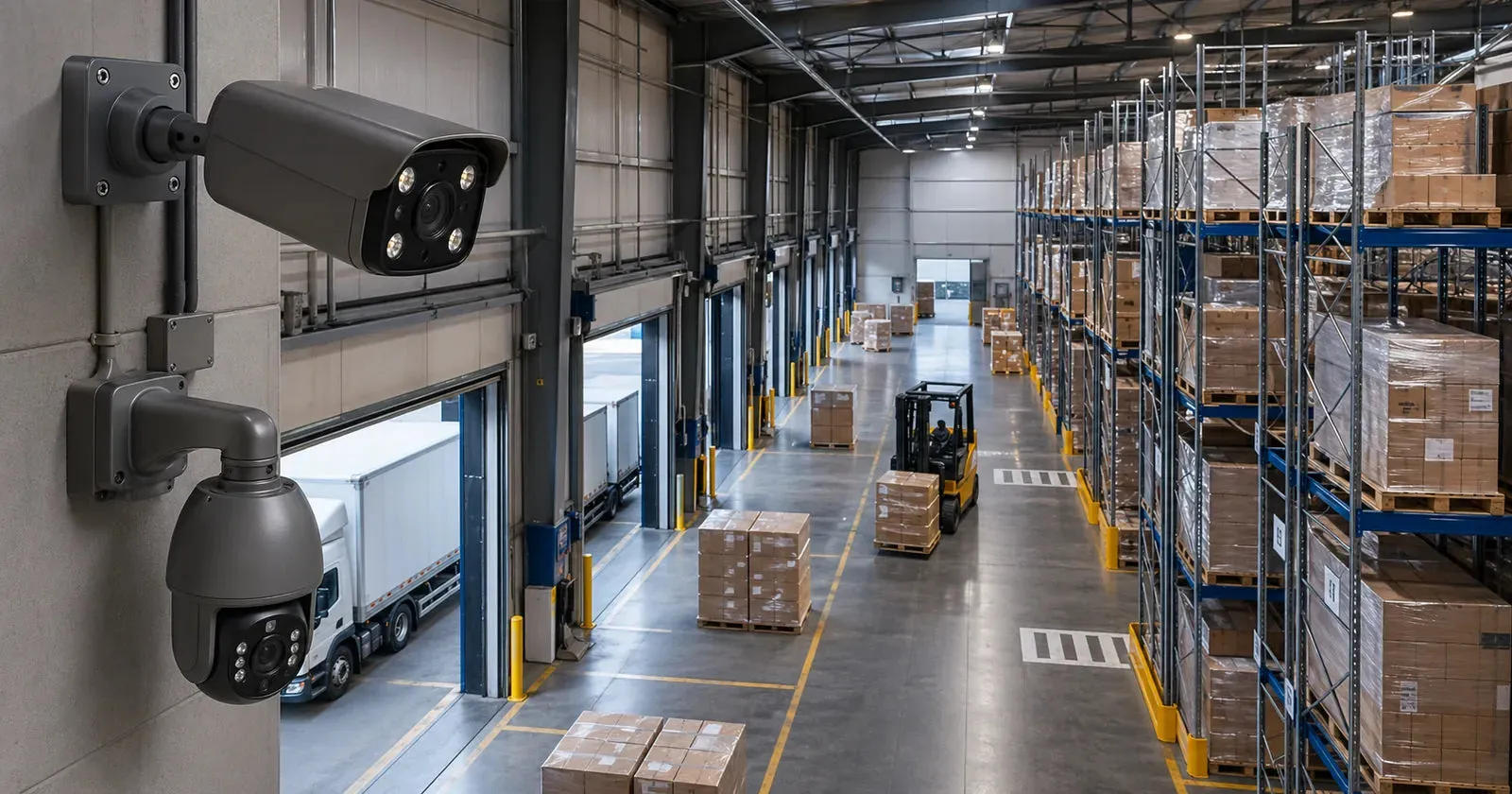
A warehouse security camera system has to solve problems that a home, office, or small shop usually does not have. Warehouses are large, active, and visually messy. They may include high ceilings, long aisles, loading docks, forklifts, pallet racks, outdoor yards, employee entrances, visitor gates, inventory cages, fuel areas, and vehicle traffic. A single camera can show activity. A planned system provides usable evidence, safer monitoring, and faster search.
QuarkView buyer note: This guide is written for buyers comparing real surveillance products, not just feature names. QuarkView focuses on practical security camera systems for homes, small businesses, retail stores, warehouses, farms, and outdoor sites, so the recommendations below connect warehouse security cameras, multi-zone PoE systems, loading dock coverage, and AI alerts with installation, recording, and day-to-day maintenance decisions.
Public warehouse surveillance guidance from camera manufacturers, logistics security materials, and cybersecurity resources repeats the same point: camera count alone does not solve warehouse risk.
A warehouse buyer may ask for an NVR security system, a PoE security camera system, AI surveillance, night vision camera coverage, outdoor security camera models, or a wired security camera network. Those terms are useful, but each camera still needs a job. Does it identify people at a door, document loading activity, monitor forklift safety, protect high-value inventory, verify truck arrivals, or detect after-hours intrusion? Different goals require different camera positions, lenses, frame rates, lighting, and storage policies.
For Alibaba International Station buyers comparing QuarkView or other suppliers, a zone-based plan will usually produce a better quote than a request for "some warehouse cameras."
Main Technical Explanation
Warehouse surveillance begins with zone analysis. Divide the facility into functional areas: perimeter, vehicle gates, employee entrances, visitor doors, loading docks, receiving, shipping, storage aisles, high-value cages, packing stations, offices, mechanical rooms, server rooms, and outdoor yards. Each zone should have a camera purpose. Some cameras detect movement. Some recognize people. Some identify faces. Some document processes. Some capture license plates. Some provide overview for safety and operations.
High ceilings are a major challenge. Mounting cameras high can protect them from damage and provide wide coverage, but it reduces facial and object detail. If a camera is mounted 8 to 12 meters high with a wide lens, people may appear too small for identification or reliable human detection. A better design often uses a combination of high overview cameras and lower or more focused cameras at key points such as doors, dock plates, and inventory cages.
Long aisles require careful lens selection. A wide-angle camera at the end of an aisle may show the whole aisle but provide limited detail at the far end. A varifocal or corridor-mode camera may be better. Some IP camera models support corridor format, rotating the image to cover tall narrow scenes more efficiently. This can be useful in rack aisles, hallways, and narrow storage zones.
Loading docks need both overview and close detail. A camera should show dock door activity, pallet movement, vehicle backing, and worker interaction. Another camera may focus on the trailer opening or license plate area. Lighting changes are common because dock doors open to bright outdoor light while the warehouse interior is darker. Wide dynamic range can help preserve detail in mixed lighting.
Outdoor warehouse yards need weatherproof cameras, proper mounting, and night performance. Outdoor security camera models should be selected for temperature, dust, rain, and vandal risk. Infrared night vision can cover dark areas, but large yards may need supplemental lighting. For long-range monitoring, camera lens selection matters more than simply choosing high megapixels.
Network design is a common weak spot. A warehouse PoE security camera system may include many cameras connected through PoE switches across the building. Cable distances, switch PoE budgets, uplink capacity, and network segmentation should be planned. Fiber may be needed between buildings or across long distances. Wireless bridges can be useful for remote yard areas, but wired connections are preferred where possible.
Recording requirements are often heavier than in small shops. Warehouses may need 24/7 recording for incident investigation, safety review, shipment disputes, and insurance documentation. H.265 compression can reduce storage compared with H.264, but bitrate must remain high enough for usable detail. The NVR security system should be sized for channel count, resolution, frame rate, retention days, and simultaneous playback.
AI surveillance features can improve warehouse usability. Human detection can protect restricted areas after hours. Vehicle detection can monitor yards and gates. Line crossing can identify movement into inventory cages. Loitering rules can flag unusual presence near high-value goods. However, warehouse environments include forklifts, pallets, reflections, uniforms, and variable lighting, so AI rules should be tested and adjusted.
Key Features or Concepts
Layered coverage is the main concept. A warehouse needs perimeter awareness, entrance identification, process documentation, and asset protection. No single camera type does everything well.
Camera height should match the objective. High cameras are good for overview and safety context. Lower focused cameras are better for faces, labels, and detailed actions. Critical doors should have cameras at angles that capture faces as people approach.
Lens selection controls detail. Fixed 2.8 mm lenses provide wide views. Varifocal lenses allow the installer to adjust the field of view. Telephoto lenses help with gates, long aisles, and distant outdoor areas.
Lighting design affects every camera. Warehouses can have skylights, high-bay LEDs, dark corners, reflective shrink wrap, open dock doors, and outdoor glare. Cameras with wide dynamic range, low-light performance, and proper infrared design perform better.
Ruggedness matters. Dust, vibration, temperature changes, and accidental impact can affect cameras. Vandal-resistant domes or turrets may be useful in reachable areas. Protective mounting boxes and conduit help protect cables.
AI event search reduces investigation time. Instead of reviewing hours of video, managers can search for person or vehicle events in selected zones. That helps in large facilities where continuous recording creates huge volumes of footage.
Buying Considerations
Request a camera schedule rather than a camera count alone. A camera schedule lists each camera location, purpose, model type, lens, mounting height, resolution, recording mode, and special features. This is more useful than a simple quote for 16 cameras.
For loading docks, ask whether cameras can handle backlight and fast motion. Forklift and pallet movement may require adequate frame rates. If the camera is only 10 fps, it may still be acceptable for general evidence, but fast loading processes may need more.
For inventory zones, decide whether the goal is overview or item detail. Reading carton labels, pallet IDs, or small product movement requires closer views and higher pixels on target. An 8MP camera mounted too far away may still fail if the lens is too wide.
For outdoor yards, ask about night testing. Infrared distance in a datasheet may not represent real performance in rain, fog, dust, or wide open areas. White light, external IR, or additional poles may be necessary.
For network planning, confirm PoE budget and cable distance. Standard Ethernet is limited to about 100 meters per run. Longer distances may need fiber, extenders, or local switches. Outdoor cable runs need surge protection and weatherproofing.
For storage, calculate retention based on actual settings. A warehouse with 32 cameras at 4MP continuous recording for 30 days may require substantial hard drive capacity. Smart codec and H.265 can help, but evidence quality should be tested.
For cybersecurity, avoid unmanaged exposure. Use strong passwords, update firmware, separate camera networks where possible, and control remote access. Warehouse systems may connect to broader business networks, so IT coordination matters.
Common Applications
Loading dock monitoring helps verify shipments, delivery times, pallet condition, trailer activity, and worker safety. Cameras should cover both the dock area and the vehicle approach.
Inventory protection focuses on high-value storage, cages, tool rooms, and restricted aisles. AI intrusion rules can create alerts after hours.
Perimeter monitoring uses outdoor security camera models at fences, gates, yards, and vehicle entrances. Vehicle detection and LPR may be added where access records matter.
Operational review uses cameras to understand workflow, congestion, safety events, and process disputes. This requires reliable retention and easy search.
Employee and visitor entrance coverage documents access points. Cameras should be positioned to capture faces without excessive backlight.
Common Problems
Wide overview cameras are often asked to do too much. Overview is useful, but identification needs closer camera views.
Dock door lighting changes are easy to underestimate. Bright outdoor light and dark interiors can make faces or vehicle details disappear without wide dynamic range.
Undersized network infrastructure causes dropped frames. Switches, uplinks, and cabling need to match camera load.
Dirty lenses and housings quietly reduce evidence quality. Dusty warehouse environments require scheduled cleaning. A camera covered in dust may appear functional but provide weak evidence.
Poor event tuning creates noisy alerts. AI rules may trigger on forklifts, reflections, or normal work patterns if zones and schedules are not configured carefully.
FAQ
What camera type works well for a warehouse?
There is no single correct type. Turret or dome cameras work well indoors, bullet or varifocal cameras are useful outdoors and at long distances, and PTZ cameras can support active monitoring.
How many cameras does a warehouse need?
It depends on size, layout, risk, and evidence goals. A camera plan should be based on zones and tasks, not a universal number.
Should warehouse cameras record continuously?
Many warehouses use continuous recording because incidents may be discovered later. AI events can still be used for alerts and search.
Are wireless cameras suitable for warehouses?
Wireless can work in selected areas, but wired PoE is usually more reliable for permanent warehouse surveillance.
Do warehouses need AI surveillance?
AI is useful for restricted zones, after-hours alerts, person search, and vehicle events. It should be configured around real workflows.
Summary
A warehouse security camera system works best as a layered evidence and operations tool. High overview cameras, focused identification cameras, dock coverage, outdoor perimeter cameras, reliable PoE networking, sufficient storage, and well-tuned AI rules all play different roles. Strong systems capture useful detail where risk and operational value are highest.
Prepare a zone map, define camera objectives, plan lighting and network infrastructure, calculate storage, and test real footage. That shift from product shopping to system planning usually leads to better performance and fewer surprises after installation.
Related QuarkView Planning Resources
For the next planning step, compare parking lot CCTV system design, H.264 vs. H.265 planning for CCTV and NVR systems, local storage vs. cloud storage for security cameras, motion detection vs. AI detection in security cameras, and small business surveillance system planning. These related QuarkView guides connect alert quality, placement, storage, and system sizing before you choose hardware.
For product research, start with PoE Camera Systems, PTZ Cameras, NVR Recorders, and PoE Switches & Power. These QuarkView collections make it easier to match the guide's requirements with cameras, recorders, power equipment, and installation accessories.
How QuarkView Can Help
QuarkView helps buyers turn these planning points into a workable camera system instead of a loose list of specifications. If you are comparing warehouse security cameras, multi-zone PoE systems, loading dock coverage, and AI alerts, review the camera angle, cable route, storage target, night image quality, and alert requirements before choosing a kit.
For product selection and project planning, visit QuarkView to compare security camera systems and related CCTV solutions for residential, retail, warehouse, parking lot, farm, and small business applications. You can also browse the QuarkView Security Camera Knowledge Base for more planning guides.
Reference Sources
- Axis Communications, public resources on logistics, warehouse surveillance, camera placement, and video analytics: https://www.axis.com
- Hanwha Vision, public information on logistics, warehouse security, AI analytics, and camera technologies: https://www.hanwhavision.com
- Genetec, public educational materials on video management, physical security, and enterprise surveillance planning: https://www.genetec.com
- ONVIF, public interoperability information for IP video systems: https://www.onvif.org
- U.S. Cybersecurity and Infrastructure Security Agency, public guidance for securing networked devices and business systems: https://www.cisa.gov