
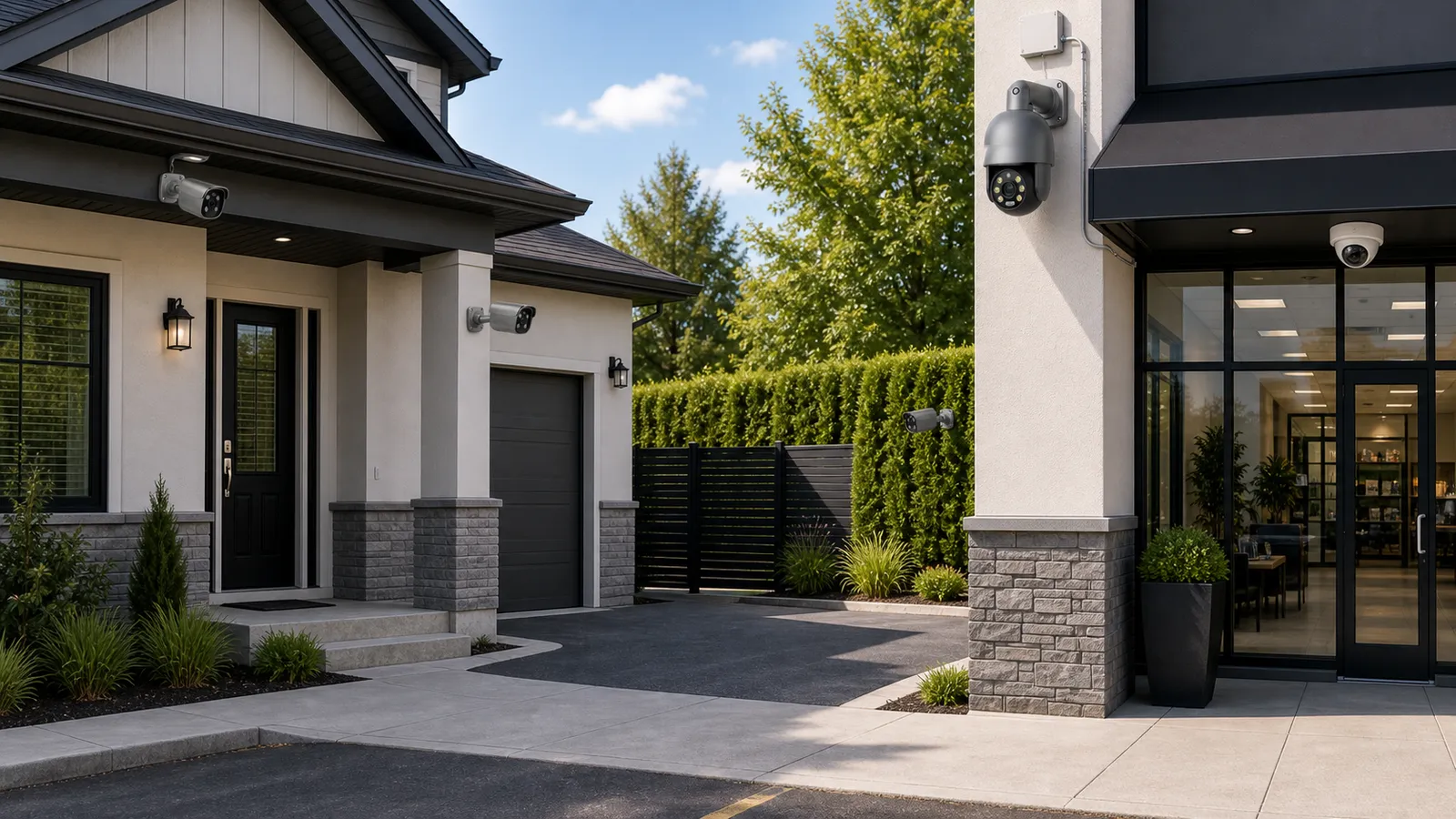
Security camera placement often matters more than the camera model. A high-resolution security camera in the wrong location may record a large scene but fail to capture usable faces, plates, hands, or movement paths. A modest IP camera placed at the correct height, angle, and distance can provide better evidence than an expensive camera watching the wrong area. For homes and businesses, placement determines whether a CCTV camera becomes useful evidence or just a visible box on the wall.
Good placement starts with a simple question: what should the camera prove after an incident? A home camera at the front door may need to show a visitor's face and package delivery. A small store camera may need to show the register, customer approach, and employee handling area. A warehouse camera may need to show which vehicle entered a gate. A hotel or apartment camera may need to document common-area activity while avoiding private spaces. Each purpose creates a different placement strategy.
This guide explains security camera placement for homes and businesses in plain terms. It covers entrances, perimeters, parking, indoor routes, cash areas, sensitive rooms, lighting, privacy, and common mistakes. The guidance applies to wired security camera systems, PoE security camera system designs, NVR security system installations, outdoor security camera projects, and mixed systems that include fixed cameras, AI surveillance functions, and PTZ camera coverage.
Plan this project
Use this article to define the requirement, then compare it with Open the QuarkView Security System Planner or contact QuarkView for project-level guidance.
Related planning guides
Camera placement is where lens, lighting, installation method, and site type come together, so it is useful to cross-check the supporting planning guides. Start with security camera lens basics, then compare night surveillance planning and CCTV installation mistakes before finalizing the layout. For a deeper operational layer, keep apartment surveillance planning in the planning path.
When the guide turns into a product shortlist, QuarkView buyers can compare single PoE cameras, PTZ cameras, WiFi and wireless cameras based on coverage area, cable path, recording needs, and installation environment.
How it works
Good placement starts by separating camera roles. Cameras usually perform one of several jobs: detection, observation, recognition, or identification. A detection camera shows that something is present. An observation camera shows what is happening in a general area. A recognition camera gives enough detail to recognize a known person or vehicle. An identification camera aims to capture evidence-quality detail for faces, plates, or actions. Many placement failures happen because one camera is expected to do all four jobs.
For example, a wide outdoor security camera over a driveway can detect vehicles and show general movement, but it may not identify the driver. A second camera aimed at the gate or door, with a tighter field of view, may be needed for identification. In a retail shop, a wide camera can show the sales floor, while a focused camera near the entrance and another at the point of sale can capture faces and transactions. For a business surveillance system, this layered approach is usually more reliable than installing a small number of ultra-wide cameras.
Choke-point coverage is usually where the best evidence comes from. Doors, gates, reception desks, elevator lobbies, stairwell entrances, cash counters, corridor intersections, and vehicle entrances are valuable because people and vehicles pass through predictable narrow areas. Cameras placed at these points often produce more useful evidence than cameras mounted in open spaces. In homes, front doors, back doors, side gates, garage doors, and driveways are common choke points.
Height and angle are where many systems lose detail. Cameras mounted too high often show the tops of heads. Cameras mounted too low may be tampered with, blocked, or damaged. Mounting height depends on the environment, but the goal is consistent: see the approach path and face angle while keeping the camera protected. At entrances, the camera should be angled toward the person as they approach or pass through, not only pointed down at the threshold. For plates, the camera must be low enough and narrow enough to capture the vehicle angle without excessive glare.
Lighting control needs to be checked before final mounting. Placement should avoid direct glare from windows, headlights, sunrise, sunset, reflective floors, glass walls, polished counters, or water. Wide dynamic range helps, but it cannot fix every bad angle. A camera inside a lobby should not look directly into a bright doorway if an alternate side angle is possible. Outdoor cameras should be tested at night because infrared reflection, bugs, rain, fog, and nearby walls can change the image dramatically.
Use overlap where it helps explain movement. Adjacent cameras should cover paths so a person can be followed from one area to another, but the system should not waste cameras duplicating the exact same view. In commercial properties, overlap is useful between entrances, corridors, and high-risk areas. In homes, overlap between the front door, driveway, and side path can help reconstruct events.
Features to compare
Field of view is the width of the scene a camera sees. A wide field of view covers more area but reduces detail per object. A narrow field of view captures more detail but covers less area. The right lens depends on whether the goal is overview or identification. Varifocal cameras are useful when the final angle and distance need adjustment during installation.
Mounting height affects evidence. High mounting can protect cameras and cover more floor area, but it can reduce facial detail. Lower mounting can capture faces but may need vandal-resistant housings or protective placement. For homes, doorbell-level or near-door cameras can capture faces well, while higher overview cameras can show broader activity.
Backlighting occurs when the subject is darker than the background. This is common at glass doors, warehouse bays, storefronts, hotel lobbies, and office reception areas. WDR cameras, side mounting, interior lighting, or camera repositioning can improve results.
Privacy masking allows parts of the image to be blocked from view or recording. This is useful when a camera might see a neighbor's window, apartment doorway interior, computer screen, private office, or restricted non-surveillance area.
Fixed cameras and PTZ cameras do different work. Fixed cameras provide constant evidence from a known viewpoint. A PTZ camera can zoom and follow activity but may miss other events while aimed elsewhere. For reliable coverage, PTZ cameras should supplement fixed cameras rather than replace them.
AI surveillance features such as person detection, vehicle detection, line crossing, and smart motion alerts work best when placement gives the analytics a clear object size, stable background, and predictable direction of travel.
Check viewing distance and recorded detail
Before buying, map the property. Mark all doors, windows, gates, parking areas, driveways, reception points, cash handling areas, stairwells, corridors, storage rooms, and outdoor approaches. Then assign a purpose to each camera. Avoid buying by camera count alone.
For homes, prioritize the main entrance, rear entrance, driveway, garage, side gate, and any area where packages or vehicles are vulnerable. Indoor cameras should be used carefully and usually limited to common areas where there is a clear reason. Avoid bedrooms, bathrooms, and private family spaces.
For businesses, prioritize entrances, exits, reception, registers, safes, stockrooms, server rooms, loading areas, parking lots, and routes between these spaces. A business surveillance system should support incident review without creating unnecessary monitoring of low-risk workstations.
Choose camera types based on location. Turret or dome cameras are common indoors. Bullet cameras are common outdoors and along perimeters. Fisheye cameras can provide broad indoor overview in open spaces. PTZ cameras are useful for active monitoring of large yards, parking lots, or public-facing areas, but fixed cameras should cover critical points continuously.
Plan the wiring early. A PoE security camera system is usually the cleanest professional choice for multiple cameras because one Ethernet cable carries power and data. Check cable distance, PoE switch budget, NVR channel count, recorder bandwidth, and future expansion. A wired security camera installation should also include weatherproof junction boxes and strain relief outdoors.
Confirm storage and retention. Security camera placement affects storage because busy scenes generate more motion and bitrate. A camera watching a busy street, restaurant floor, or school hallway may require more storage than a camera watching a quiet storage room.
Common Applications
Home applications include front door identity capture, driveway vehicle monitoring, side gate awareness, backyard activity, garage protection, and package delivery review. A common design uses one camera for face capture at the entrance and another for wide exterior context.
Retail applications include entrance identification, sales floor overview, POS transaction review, stockroom protection, and parking coverage. Cameras should show faces at entry and hands at the register without recording sensitive customer information more than necessary.
Office applications include reception, entrances, corridors, server rooms, storage rooms, and parking. Cameras should not be used as a substitute for management or employee performance monitoring unless policies, laws, and legitimate needs are carefully addressed.
Apartment and hotel applications focus on common areas: lobbies, elevators, corridors, stairwells, parking, package rooms, pools, gyms, and service entrances. Private units and guest rooms must remain off limits.
Industrial and warehouse applications include gates, loading docks, inventory cages, forklift routes, emergency exits, yards, and perimeter fencing. Lighting and camera protection are especially important.
Common Problems
Many weak systems start with cameras mounted where installation was easiest. The nearest ceiling corner may not capture faces, plates, or hands. Placement should follow the evidence goal, then the installer should solve the mounting challenge.
Overly wide views are another source of disappointment. They look impressive during live viewing but may fail during investigation. Use tighter cameras at entrances and high-value points.
Glare is a frequent issue at glass entrances, parking lots, and offices with large windows. Test the view at different times of day and use WDR, lighting changes, or alternate angles.
Night performance can fail when cameras are placed near reflective walls, soffits, glass, or vegetation. Infrared light can bounce back into the lens. Outdoor cameras should be tested after dark before final sign-off.
Privacy complaints arise when cameras capture neighboring property, private office desks, residential doors, or sensitive areas. Use privacy masks and clear signage where appropriate.
FAQ
What is the best security camera placement for a front door? Place the camera where it can see the visitor's face and approach path. Avoid pointing directly into bright outdoor light from a dark interior unless the camera has strong WDR and the angle has been tested.
Should cameras be visible or hidden? Visible cameras can deter some behavior, while discreet cameras may reduce tampering or self-conscious behavior. Most professional systems use visible cameras in public areas with clear purpose.
How many cameras does a small business need? It depends on layout, but many small businesses start with entrances, exits, POS, stockroom, customer area, back door, and parking. Placement quality is more important than a fixed number.
Can one PTZ camera cover a whole property? No. A PTZ camera can zoom and move, but it cannot record every direction at once. Use fixed cameras for critical continuous views.
Where should outdoor cameras be placed? Outdoor cameras should cover approaches, doors, gates, driveways, parking, and perimeter points while avoiding direct glare, neighbor privacy intrusion, and easy tampering.
Does AI surveillance change placement rules? AI helps with alerts and search, but it still needs good images. Poor angles, small objects, blur, and bad lighting reduce AI performance.
Summary
Security camera placement should follow the evidence need, not the easiest mounting point. Identify the purpose of each camera, focus on choke points, manage lighting, avoid privacy-sensitive areas, and combine overview cameras with identification cameras. Whether the system uses a single IP camera, a wired security camera network, a PoE security camera system, or a full NVR security system with AI surveillance, correct placement is what makes the footage worth reviewing.
How QuarkView Can Help
Explore related QuarkView products or contact QuarkView for project support, volume inquiries, and system planning help.
Reference Sources
- Security.org, home security camera placement guidance: https://www.security.org/security-cameras/placement-guide/
- GOV.UK, domestic CCTV privacy guidance: https://www.gov.uk/government/publications/domestic-cctv-using-cctv-systems-on-your-property/domestic-cctv-using-cctv-systems-on-your-property
- GOV.UK, police requirements for CCTV systems and small business CCTV guidance: https://www.gov.uk/government/publications/uk-police-requirements-for-cctv-systems and https://assets.publishing.service.gov.uk/government/uploads/system/uploads/attachment_data/file/142684/cctv-small-business-guidance.pdf
- CCTV Security Pros, security camera placement guide: https://www.cctvsecuritypros.com/articles/security-camera-placement-guide/
- Axis Communications, video analytics and camera system education: https://www.axis.com/solutions/video-analytics