
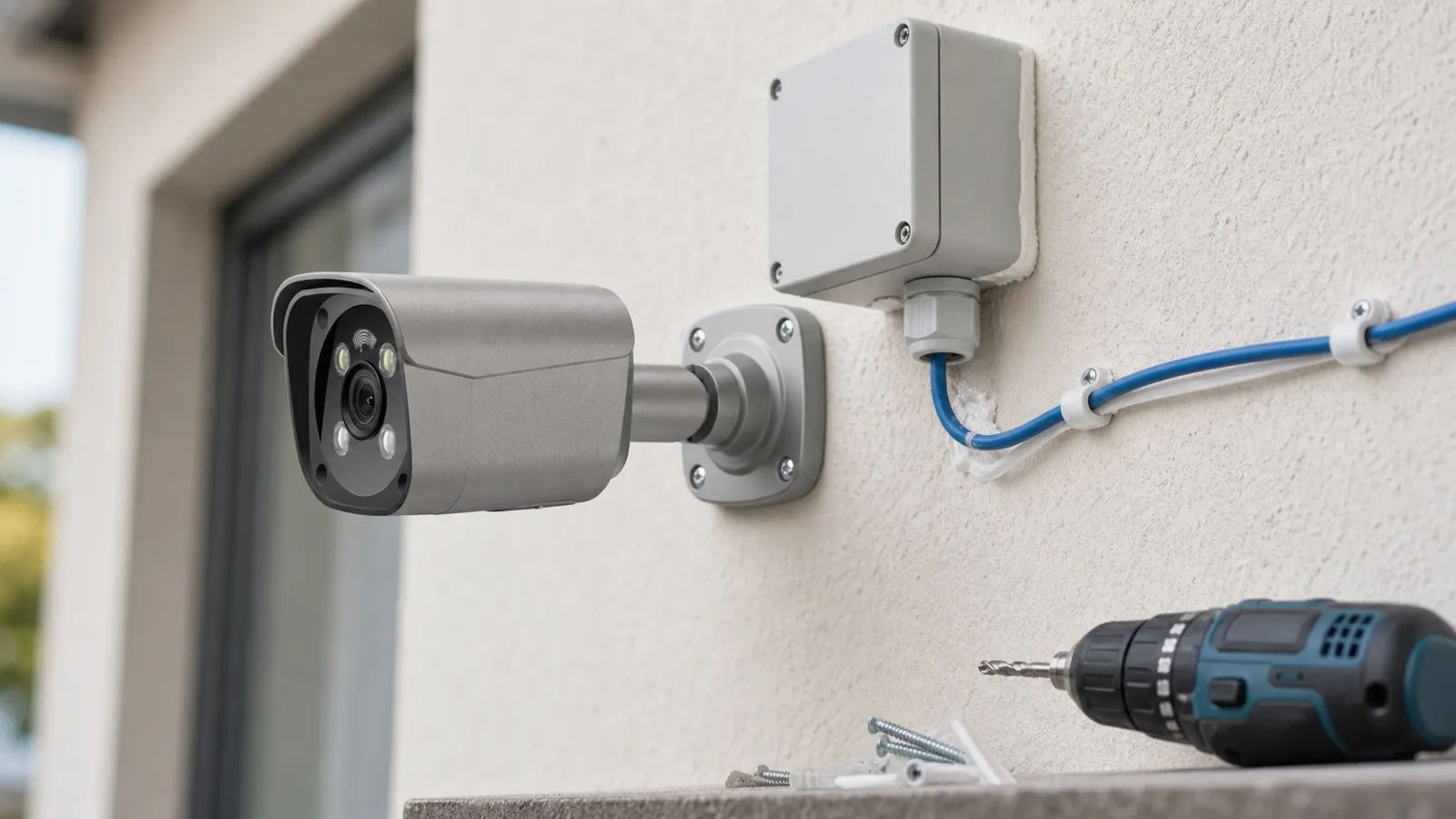
CCTV installation mistakes happen because cameras look simple from the outside. Mount the security camera, connect a cable, start recording. In practice, a reliable CCTV system depends on lens selection, mounting height, field of view, lighting, power, network design, storage, cybersecurity, privacy, and maintenance. A poorly installed high-resolution IP camera can produce worse evidence than a modest camera placed correctly.
These mistakes affect homes and businesses in different ways. A homeowner may miss a face at the front door because the camera is mounted too high. A restaurant may cover the dining room but miss the back door where deliveries occur. An office may install cameras without considering employee privacy. A hotel may record the lobby but leave elevators and parking areas without usable coverage. A school may buy cameras but fail to define who can access footage. A warehouse may install a PoE security camera system but overload the NVR security system with too many high-bitrate streams.
Avoiding CCTV installation mistakes starts with risk areas and evidence goals, not camera quantity alone. Before selecting equipment, define what each camera must accomplish: detect activity, observe behavior, recognize a person, identify a face, verify a transaction, or document a vehicle. Each purpose requires different placement and image detail.
Plan this project
Use this article to define the requirement, then compare it with Use QuarkView setup guidance or contact QuarkView for project-level guidance.
Related planning guides
Most installation mistakes come from separating cable routes, placement, power, recorder capacity, and maintenance access too late in the project. Start with CCTV cabling guide, then compare camera placement planning and PoE switch basics before finalizing the layout. For a deeper operational layer, keep CCTV troubleshooting in the planning path.
When the guide turns into a product shortlist, QuarkView buyers can compare installation accessories, PoE switches and power, PoE camera systems based on coverage area, cable path, recording needs, and installation environment.
How it works
The most expensive mistake is confusing coverage with identification. A wide-angle CCTV camera can show a large room, but the faces in that room may be too small for investigation. A camera at the far end of a parking lot may detect that a vehicle entered, but it may not capture a readable plate. Professional design separates overview cameras from identification cameras. Overview cameras show what happened. Identification cameras belong at choke points such as doors, gates, counters, elevator lobbies, or reception areas where people naturally pass closer to the lens.
Poor mounting height and angle cause many weak images. Cameras mounted too high often show the tops of heads. Cameras mounted too low are easier to tamper with and may be blocked by people, furniture, vehicles, or merchandise. Around entry points, moderate height usually works better, adjusted for the site so the camera can see faces while remaining out of easy reach. The angle should capture the approach path, not only the doorway or floor.
Lighting is another common failure point. Cameras need usable light and manageable contrast. A security camera pointed toward a bright window may turn people into silhouettes. An outdoor security camera aimed into sunrise, sunset, headlights, or reflective glass can lose detail. At night, infrared reflection from walls, glass, rain, fog, or insects can wash out the image. Wide dynamic range, low-light sensors, exterior lighting, and correct camera direction often matter more than resolution alone.
Camera type also matters. Dome cameras are discreet and vandal-resistant for many indoor public areas. Bullet cameras are visible and useful for perimeter or long-range views. Turret cameras reduce some IR reflection issues compared with domes. A PTZ camera is useful for active monitoring of large areas, but it is not a replacement for fixed cameras because it can look in only one direction at a time. Fisheye cameras can cover wide indoor spaces but may not provide identification detail at distance.
Cabling and power planning deserve more attention than they usually get. A wired security camera or PoE security camera system is reliable only when cable routes, distances, switches, PoE budgets, surge protection, and weatherproof terminations are planned. Long cable runs, poor connectors, water intrusion, overloaded PoE switches, and unprotected outdoor cabling can cause intermittent failures that are difficult to diagnose.
Storage is often undersized. It depends on camera count, resolution, frame rate, codec, bitrate, recording schedule, scene complexity, and retention period. A system designed around best-case compression may fail to provide the required number of days. High-motion scenes such as restaurants, school corridors, streets, and parking lots can use more storage than static scenes. H.265 can reduce storage compared with H.264, but buyers still need realistic retention calculations.
Cybersecurity should not wait until the end. An IP camera is a network device. Default passwords, exposed ports, outdated firmware, shared admin accounts, and flat networks create avoidable risk. Surveillance systems should use strong unique credentials, role-based access, firmware updates, time synchronization, encrypted access where possible, and network segmentation.
Features to compare
Start with the operational requirement. Before buying cameras, define what the system must prove. Do you need to identify every person entering, verify cash handling, monitor vehicle movement, document slips and falls, protect a restricted room, or support after-hours alerts? The answer determines placement and camera selection.
Pixels per target is another useful concept. Resolution by itself does not guarantee detail. A 4K image spread over a very wide scene may provide less useful facial detail than a 4MP camera focused on a doorway. Buyers should think in terms of how large the person, face, or plate appears in the frame.
Choke-point coverage produces better evidence than random wide views. Entrances, exits, gates, stairwells, elevator lobbies, reception desks, POS counters, and loading doors are places where people or vehicles naturally pass through a narrow area. These are often the best places for identification cameras.
Layered coverage means combining cameras with different roles. A business surveillance system may use fixed cameras for doors, wide-angle cameras for general floor coverage, an outdoor security camera for parking, and a PTZ camera for active monitoring of large yards. The goal is not to make every camera do everything.
System health monitoring is often overlooked. A camera that is offline, blocked, out of focus, or recording the wrong time is not useful. Professional systems should include periodic checks for recording status, storage health, time accuracy, firmware, and lens cleanliness.
Match equipment to the site requirements
Buyers should begin with a site walk-through. Walk the property during day and night. Look for entrances, blind spots, high-value assets, cash handling areas, parking, delivery points, and places where incidents have occurred. Sketch camera views before drilling holes.
Choose wired infrastructure when reliability matters. Wireless cameras may work for small or temporary needs, but a PoE security camera system is usually preferred for continuous recording in homes, offices, restaurants, hotels, schools, warehouses, and retail stores. PoE reduces power outlet dependency and supports centralized backup power when designed correctly.
Confirm NVR capacity. Check the number of channels, incoming bandwidth, recording resolution, AI analytics limits, hard drive bays, maximum storage, and supported camera compatibility. A low-cost NVR security system may support 16 cameras on paper but struggle with high-resolution streams and analytics at the same time.
Consider environment ratings. Outdoor cameras need suitable ingress protection, temperature rating, mounting hardware, and sometimes impact resistance. Coastal, industrial, dusty, or high-humidity environments need extra attention. Indoor cameras used in kitchens, garages, or warehouses may also need protection from grease, dust, steam, or vibration.
Plan privacy from the beginning. Avoid bathrooms, changing rooms, guest rooms, private apartment interiors, and other sensitive spaces. Use privacy masks where a camera could see neighboring property or private windows. Post notices when required and write clear policies for who can view and export footage.
Budget for maintenance. A CCTV system is not finished on installation day. Lenses need cleaning, firmware needs updates, storage needs monitoring, passwords need management, and camera angles should be checked after renovations or layout changes.
Common Applications
Homes commonly need front door, driveway, side gate, garage, and backyard coverage. A common mistake is installing one wide camera high under the roofline and expecting it to identify everyone. Better designs use entry-focused cameras at face-friendly angles plus broader overview cameras.
Small businesses usually need entrances, registers, inventory rooms, staff-only doors, office corridors, parking, and loading areas. A business surveillance system should support both safety and evidence without creating unnecessary employee monitoring.
Restaurants need POS, bar, kitchen pass, delivery doors, stockrooms, walk-in coolers, dining areas, and exterior coverage. Mistakes often include missing back doors, placing cameras where steam or grease affects the lens, or failing to capture hands and cash drawers at the POS.
Hotels and apartments need common-area coverage: lobbies, elevators, parking, corridors, package rooms, stairwells, and entrances. Privacy-sensitive areas must be excluded.
Schools need perimeter, entrances, hallways, cafeterias, gyms, parking, and bus zones. Access to footage should be restricted and governed by policy.
Common Problems
Glare or silhouette at entrances can ruin otherwise good footage. Use WDR cameras, adjust the angle, add lighting, or place the camera inside the entrance facing inward rather than directly toward bright outdoor light.
Cameras may also go offline after installation. Causes include poor cable termination, water intrusion, failing PoE ports, insufficient power budget, network conflicts, or firmware issues. Label cables and test each run before final mounting.
A third problem is poor night images. Infrared may reflect from nearby surfaces or attract insects. Clean domes, avoid aiming through glass, add lighting, and consider low-light cameras for critical areas.
Storage disappearing too quickly is also common. Lowering frame rate on low-risk overview cameras, using H.265, applying motion recording to noncritical views, and adding hard drive capacity can help, but do not reduce quality where evidence is needed.
Cybersecurity problems include default passwords, shared accounts, direct port forwarding, and outdated firmware. These should be corrected during installation, not after an incident.
FAQ
What is the most common CCTV installation mistake? The most common mistake is poor camera placement, especially mounting cameras too high or too wide to capture usable faces, plates, or transaction details.
Is 4K always better for CCTV? No. 4K can help, but lens angle, distance, lighting, compression, and mounting position determine whether the image is useful.
Should I use a PTZ camera instead of several fixed cameras? A PTZ camera is useful for active viewing, but fixed cameras are better for continuous coverage of important areas. Many sites use both.
Why is a PoE security camera system recommended for businesses? PoE provides stable power and data over Ethernet, supports continuous recording, simplifies cable management, and is usually more reliable than Wi-Fi for multi-camera systems.
How long should CCTV footage be stored? Retention depends on business risk, legal requirements, budget, and incident reporting patterns. Common targets range from one to several weeks, but high-risk sites may need longer.
Can I install cameras anywhere on my property? No. Privacy laws and expectations still apply. Avoid private areas and check local rules, especially in workplaces, schools, apartments, and hospitality settings.
Summary
Most CCTV installation mistakes are avoidable. Define the evidence goal, place cameras at useful angles, design for lighting, use reliable wiring, size storage correctly, secure the network, and maintain the system after installation. Whether the project uses a simple wired security camera, a multi-camera NVR security system, AI surveillance features, or a full PoE security camera system, the installation determines whether the footage will be useful when it is needed.
How QuarkView Can Help
Explore related QuarkView products or contact QuarkView for project support, volume inquiries, and system planning help.
Reference Sources
- GOV.UK, police requirements for CCTV systems and digital imaging guidance: https://www.gov.uk/government/publications/uk-police-requirements-for-cctv-systems and https://www.gov.uk/government/publications/cctv-guidance
- College of Policing, CCTV evidence and investigative practice: https://www.college.police.uk/guidance/investigation/investigative-strategies/cctv
- Axis Communications, system and camera technical education: https://www.axis.com/solutions/video-analytics
- Avigilon installation and hardening documentation examples: https://www.avigilon.com/fs/documents/avigilon-h6a-dome-installation-guide-en.pdf and https://www.avigilon.com/fs/documents/avigilon-system-hardening-guide-en.pdf
- ONVIF, cybersecurity best practices for IP-based physical security systems: https://www.onvif.org/profiles/whitepapers/onvif-recommendations-for-cybersecurity-best-practices-for-ip-based-physical-security-products/
- CCTV storage planning references: https://www.cctv-tool.com/en/blog/how-to-calculate-cctv-storage and https://www.cctvdesigntool.com/calculators/storage/