
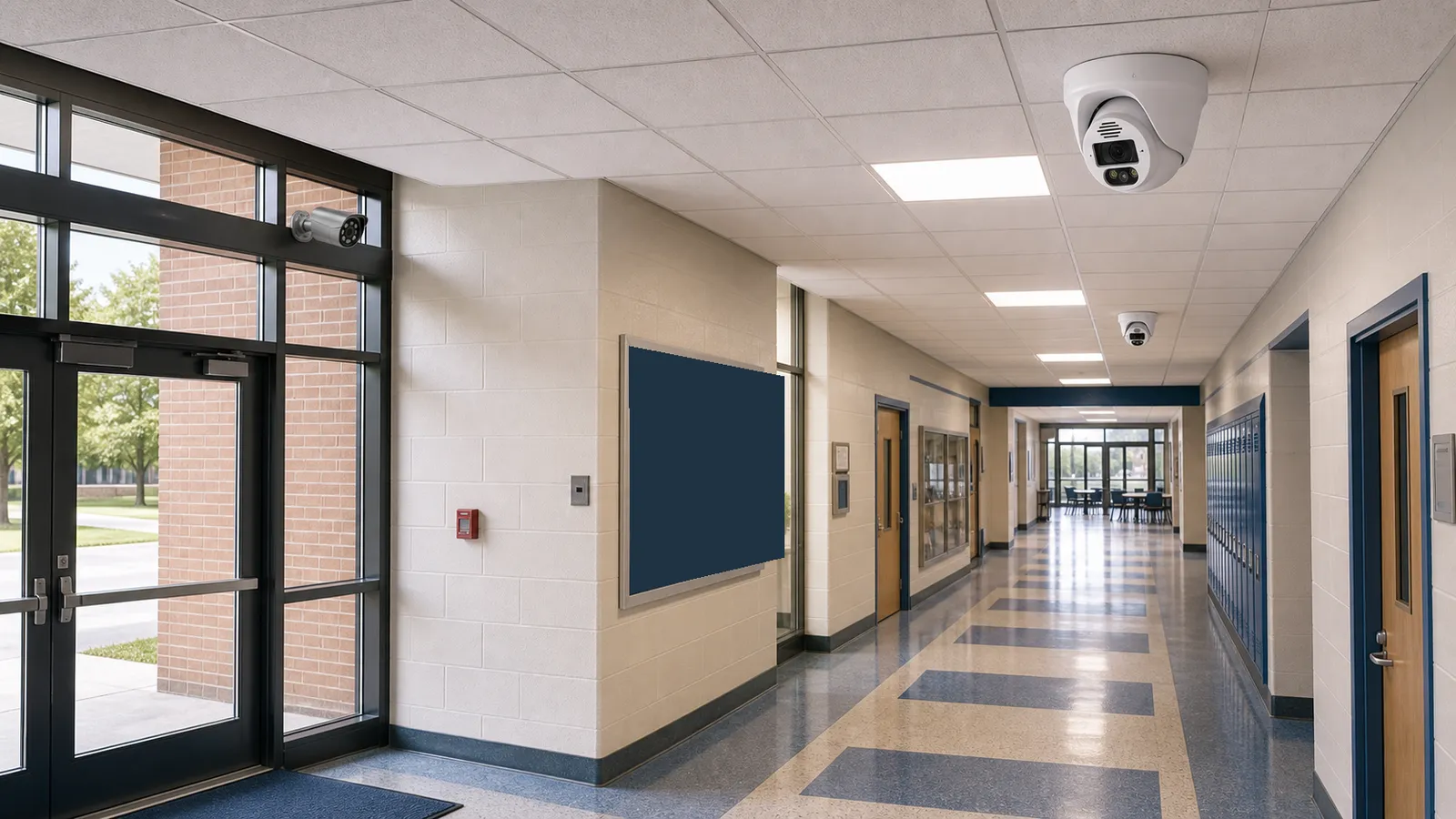
School security cameras are now common in K-12 safety planning, but they need careful design and governance. A camera system can document incidents, support emergency response, review hallway or parking activity, protect entrances, and assist administrators after reported behavior. It cannot, by itself, create a safe school culture or replace trained staff, access control, emergency planning, counseling resources, visitor management, and community trust.
The National Center for Education Statistics has reported that security cameras are widely used in U.S. public schools, alongside measures such as controlled building access and visitor sign-in procedures. This broad adoption makes it even more important for schools to handle video responsibly. Students, teachers, staff, parents, and visitors may all appear in footage. In some situations, school video can intersect with student privacy rules such as FERPA in the United States, especially when a video is directly related to a student and maintained by the school for disciplinary or educational purposes.
This guide explains school security cameras from a planning perspective. It covers camera placement, privacy boundaries, access rights, retention, cybersecurity, AI surveillance, and common mistakes. The same technical ideas apply to public schools, private schools, colleges, training centers, and childcare-related facilities, but legal requirements vary by location. Schools should seek local legal and policy review before final deployment.
Plan this project
Use this article to define the requirement, then compare it with Review QuarkView multi-zone security solutions or contact QuarkView for project-level guidance.
Related planning guides
School camera planning needs a careful mix of safety coverage, privacy controls, analytics restraint, and reliable recording procedures. Start with camera placement planning, then compare AI surveillance trends and smart motion alerts before finalizing the layout. For a deeper operational layer, keep video surveillance best practices in the planning path.
When the guide turns into a product shortlist, QuarkView buyers can compare PoE camera systems, NVR recorders, AI camera systems based on coverage area, cable path, recording needs, and installation environment.
How it works
School CCTV design begins with safety objectives. A school may want to monitor entrances, verify visitor access, document hallway incidents, protect parking lots, observe bus loading zones, secure athletic facilities, protect equipment rooms, or support after-hours building protection. Each objective requires different placement and policy.
Entrances usually come first. Cameras should capture visitors entering the building, front office interactions, and door activity. When paired with access control or visitor management, video can help verify who entered, whether a door was held open, or whether someone bypassed the main office. Door cameras need good facial detail and must handle bright exterior light.
Hallways, stairwells, and common areas are also common camera locations. They can help investigate fights, bullying reports, vandalism, slips and falls, or movement during emergencies. Placement should show the shared space without looking into bathrooms, locker rooms, counseling rooms, nurse offices, or other sensitive spaces. Classroom cameras are more complex and should not be assumed appropriate without a clear policy, legal review, and stakeholder discussion.
Exterior areas require a different approach. Outdoor security camera locations may include parking lots, bus loops, athletic fields, playground perimeters, service entrances, and building approaches. Weather rating, lighting, vandal resistance, and network connectivity matter. A PTZ camera may help security staff view a large athletic field or parking area during events, but fixed cameras should cover entrances, gates, and bus zones continuously.
For the technical backbone, many schools use an IP camera network with a PoE security camera system. PoE simplifies installation because one Ethernet cable provides both power and data. Larger campuses may use multiple network closets, fiber links, VLANs, and a VMS. The NVR security system or VMS should support role-based permissions, audit logs, export controls, camera health alerts, and enough storage for the school's retention policy.
AI surveillance in schools should be treated carefully. Person detection, vehicle detection, line crossing, after-hours intrusion alerts, and video search can be useful. More sensitive features such as facial recognition, behavior prediction, or broad individual tracking require far more scrutiny. Schools should avoid using AI simply because it is available. The use case should be defined, proportionate, and explainable to stakeholders.
Privacy and records governance need early attention. A general hallway recording may be treated differently from a clip saved for discipline, law enforcement, or a student complaint. In the United States, the U.S. Department of Education explains that photos or videos can become education records under FERPA when they are directly related to a student and maintained by the educational agency or institution. Schools should have procedures for parent requests, law enforcement requests, redaction, retention, and disclosure.
Features to compare
Controlled access plus video is stronger than video alone. A camera watching an unlocked door can record a problem, but access control can help prevent it. Cameras should support a layered safety plan.
Choke-point camera placement produces better evidence than broad, distant views. Main entrances, side doors, bus entrances, gym entrances, cafeteria doors, and parking entries are often more useful than cameras placed only in wide open spaces.
Role-based access protects student privacy. Administrators, school resource officers, IT staff, and district security personnel should not automatically have the same permissions. Access should match job responsibilities.
Retention policy should be written down. Schools should define how long routine footage is kept, when footage is preserved, who can approve export, and how footage is deleted. Retention should match legal requirements and operational needs.
Cybersecurity is a student safety issue. A school security camera is a network device that can expose sensitive video if poorly secured. Strong passwords, firmware updates, secure remote access, network segmentation, and audit logs are essential.
Transparency reduces suspicion. Schools should inform families, students, and staff about camera locations, purposes, privacy boundaries, and access rules. This does not mean publishing every technical detail that could create security risk.
Set access and footage handling requirements
Begin with a planning group that is wider than the security team. Include administrators, facilities, IT, safety staff, teachers, legal counsel, privacy officers, and where appropriate, parent or community input. A camera project affects more than the security department.
Create a site map. Mark entrances, offices, hallways, stairwells, cafeterias, gyms, auditoriums, libraries, parking, bus loops, playgrounds, athletic fields, storage rooms, IT rooms, and after-hours access points. Decide what each camera must accomplish.
Select durable cameras. Schools may need vandal-resistant housings in hallways, gyms, cafeterias, exterior entrances, and athletic areas. Outdoor cameras need weather rating and suitable low-light performance.
Confirm system capacity. School days create high motion in hallways, cafeterias, and bus zones. The NVR security system or VMS must handle bitrate, storage, and simultaneous users. Plan for expansions and renovations.
Review AI features with caution. Smart motion alerts can help after hours. Vehicle detection can help parking and bus areas. But facial recognition or sensitive analytics should not be enabled without policy review, legal analysis, and community discussion.
Plan integration. Video may be more useful when connected with access control, visitor management, intercoms, panic buttons, intrusion alarms, and emergency procedures. Integration should be tested before an emergency.
Budget for maintenance and training. Staff need to know how to search, export, preserve, and document footage. IT needs to maintain firmware, passwords, storage, and network security. Facilities need to keep lenses clean and views unobstructed.
Common Applications
Main entrance cameras support visitor management and access control. They help verify arrivals and departures, especially during school hours.
Hallway cameras help investigate fights, bullying reports, vandalism, and movement during drills or emergencies. Placement should avoid sensitive rooms.
Bus loading and parent pickup areas benefit from cameras because traffic, supervision, and student movement create frequent disputes and safety risks.
Cafeterias, gyms, auditoriums, and libraries are common areas where incidents, crowding, and property damage may occur. Cameras should cover shared activity rather than private conversations.
Parking lots and athletic fields need outdoor security camera coverage for events, after-hours activity, vehicle incidents, and perimeter awareness.
IT rooms, storage, maintenance areas, and administrative offices may need cameras for asset protection and access accountability.
Common Problems
One problem is treating cameras as a complete safety plan. Cameras record and assist response, but they do not replace locked doors, trained staff, emergency communication, student support, and supervision.
Poor privacy planning can damage trust fast. Cameras near locker rooms, bathrooms, nurse areas, counseling offices, or classrooms can create serious concerns. Boundaries must be clear.
Footage access may be too broad. Shared accounts and casual clip sharing increase privacy risk. Use individual accounts, logs, and formal request procedures.
Cybersecurity can be overlooked because cameras are purchased by facilities rather than IT. Camera networks still need security standards.
Retention may not match actual request timelines. Schools should know how quickly incidents are usually reported and how long legal or policy requirements require footage to be kept.
AI features may be enabled without stakeholder understanding. Schools should explain what analytics do and do not do.
FAQ
Where should school security cameras be installed? Common locations include entrances, hallways, stairwells, cafeterias, gyms, libraries, bus zones, parking lots, athletic areas, administrative areas, and exterior access points. Avoid bathrooms, locker rooms, and other private spaces.
Can schools use cameras in classrooms? Classroom cameras require careful legal, educational, labor, and privacy review. They should not be treated as routine without a defined purpose and policy.
Does FERPA apply to school security camera footage? It can. U.S. Department of Education guidance explains that photos or videos may be education records when directly related to a student and maintained by the school or a party acting for it.
Is AI surveillance appropriate for schools? Limited analytics such as after-hours intrusion or vehicle detection can be useful. Sensitive analytics such as facial recognition or broad individual tracking require stronger review and governance.
Should school cameras be connected to police in real time? This depends on district policy, local law, emergency planning, and community expectations. Any law enforcement access should be clearly governed and documented.
Is a PoE security camera system good for schools? Yes. PoE is reliable for multi-camera campuses, but larger schools need proper network design, VLANs, storage planning, and cybersecurity management.
Summary
School security cameras can support safety, accountability, and incident review when they are part of a broader safety plan. Focus cameras on entrances, common areas, bus zones, parking, and restricted assets while avoiding private spaces. Policies for access, retention, disclosure, cybersecurity, and AI surveillance matter as much as camera resolution. For schools, responsible planning is the difference between useful video surveillance and a system that creates privacy, trust, or compliance problems.
How QuarkView Can Help
Explore related QuarkView products or contact QuarkView for project support, volume inquiries, and system planning help.
Reference Sources
- National Center for Education Statistics, school safety and security measures: https://nces.ed.gov/fastfacts/display.asp?id=334
- U.S. Department of Education, school safety and security resources: https://www.ed.gov/teaching-and-administration/safe-learning-environments/school-safety-and-security
- U.S. Department of Education Student Privacy Policy Office, FERPA photos and videos FAQ: https://studentprivacy.ed.gov/faq/faqs-photos-and-videos-under-ferpa
- SchoolSafety.gov, cybersecurity and school safety resources: https://www.schoolsafety.gov/cybersecurity
- ONVIF, cybersecurity best practices for IP-based physical security systems: https://www.onvif.org/profiles/whitepapers/onvif-recommendations-for-cybersecurity-best-practices-for-ip-based-physical-security-products/
- GOV.UK, CCTV guidance and evidence quality principles: https://www.gov.uk/government/publications/cctv-guidance