
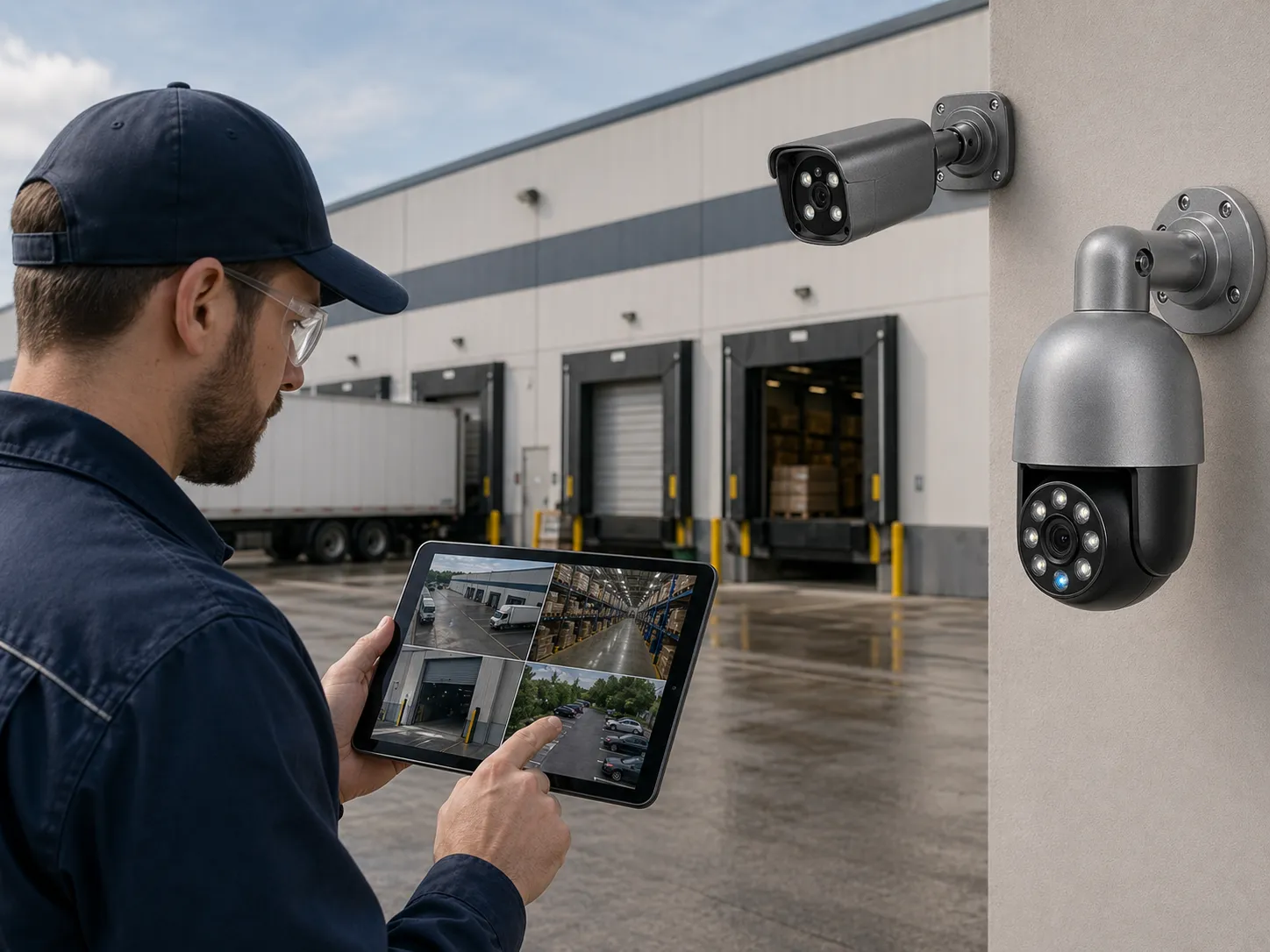
Video surveillance best practices separate a camera system that looks complete on installation day from one that helps during an incident. Many organizations buy cameras, recorders, and monitors but do not define evidence goals, storage retention, cybersecurity, user access, maintenance, or response procedures. When a problem happens, they may discover that the key camera was offline, the footage was overwritten, the timestamp was wrong, the image was too dark, or no one had permission to export the clip.
Reliable security monitoring depends on more than camera count. It needs clear planning, correct placement, stable power and network design, storage that matches the risk, privacy controls, cybersecurity hardening, regular health checks, and trained users. These best practices apply to homes, offices, restaurants, hotels, apartment buildings, schools, warehouses, and other business surveillance system environments.
The technology can vary. A small site may use a few IP camera devices and an NVR security system. A larger site may use a PoE security camera system, managed switches, VMS software, cloud backup, AI surveillance, access control, and PTZ camera monitoring. Regardless of system size, the same core principles apply: capture useful images, keep the system running, protect the video, and handle footage responsibly.
Plan this project
Use this article to define the requirement, then compare it with Use the QuarkView Security System Planner or contact QuarkView for project-level guidance.
Related planning guides
Reliable surveillance is the result of maintenance, troubleshooting, placement, remote access, and installation discipline working together. Start with CCTV maintenance guide, then compare camera and NVR troubleshooting and camera placement planning before finalizing the layout. For a deeper operational layer, keep remote viewing setup in the planning path.
When the guide turns into a product shortlist, QuarkView buyers can compare PoE camera systems, NVR recorders, security camera accessories based on coverage area, cable path, recording needs, and installation environment.
How it works
Start by defining the operational requirement. Each security camera should have a purpose. Is it for detection, observation, recognition, identification, transaction review, vehicle monitoring, perimeter awareness, or after-hours alerts? Without this purpose, camera placement becomes guesswork. A wide camera may cover a whole room but fail to identify a person. A narrow camera may capture faces but miss the broader event. Reliable systems combine both.
Design coverage around risk and movement. Entrances, exits, gates, reception desks, registers, stairwells, elevator lobbies, loading docks, parking entrances, server rooms, package rooms, and storage areas often provide more value than random ceiling corners. Choke points are especially useful because people and vehicles pass through predictable locations.
Manage lighting before you sign off on the camera view. Security video is useful only when objects are visible with enough detail. Backlight from glass doors, glare from headlights, darkness, infrared reflection, rain, snow, fog, and shadows can all reduce evidence quality. Test every important camera during the conditions that matter: daytime, nighttime, opening, closing, bad weather, and peak traffic.
Use infrastructure that matches the risk. A wired security camera is generally more dependable for core surveillance than a battery or Wi-Fi camera. A PoE security camera system simplifies power and data delivery and supports centralized backup power. For businesses, managed switches, labeled cables, weatherproof terminations, surge protection, and UPS backup can prevent many failures.
Size storage realistically. Retention depends on resolution, frame rate, compression, bitrate, camera count, recording schedule, audio, and scene motion. Busy scenes require more storage. H.265 may reduce storage, but it does not eliminate the need for planning. Important cameras may require continuous recording, while lower-risk cameras can use motion recording or lower frame rates. Footage needed for investigations should be protected from automatic overwrite.
Harden cybersecurity from the start. An IP camera, NVR, and VMS are network devices. They need strong unique passwords, updated firmware, secure remote access, disabled unnecessary services, time synchronization, role-based accounts, network segmentation, and audit logs. Avoid exposing cameras or recorders directly to the public internet. Use VPNs, secure cloud gateways, or vendor-recommended remote access methods.
Set privacy rules before people start using the system. Video surveillance affects people. Systems should avoid private areas, use privacy masking where needed, limit audio recording, post notices when required, restrict user access, and define retention and export procedures. Schools, hotels, offices, apartments, and healthcare-adjacent environments need especially careful policies.
Schedule maintenance. Cameras drift, lenses get dirty, foliage grows, lighting changes, construction blocks views, hard drives age, firmware becomes outdated, and passwords get shared. A camera system should be checked on a schedule, not only after an incident.
Features to compare
Evidence quality comes first. The system should capture the right detail at the right location. A beautiful wide image is not enough if it cannot identify the person or action that matters.
Continuous recording and event recording serve different purposes. Continuous recording is stronger for evidence because it captures context. Smart motion alerts and AI event markers help users find important moments faster. Many professional systems use both.
Health monitoring prevents silent failure. Camera offline alerts, hard drive warnings, recording status checks, time synchronization alerts, and PoE switch monitoring can reveal problems before footage is needed.
Role-based access protects video. Users should have only the access they need. Live view, playback, export, configuration, and user management should be separate permissions.
Time accuracy matters. If cameras, NVRs, access control systems, and POS systems use different times, investigations become confusing. Use reliable time synchronization.
AI surveillance is a support tool, not a replacement for design. Person detection, vehicle detection, line crossing, object search, and smart alerts work best when camera placement, lighting, and network reliability are already strong.
Documentation is part of reliability. Keep records of camera locations, IP addresses, passwords management process, warranty information, retention settings, firmware versions, and maintenance actions.
Match equipment to the site requirements
Buyers should avoid choosing a system only by camera count or resolution. A 16-channel kit may be a poor match if the NVR cannot support the required bitrate, storage, AI analytics, or remote users. Compare channel count, incoming bandwidth, hard drive bays, maximum capacity, PoE budget, ONVIF support, export tools, and user permissions.
Choose cameras for the scene. Entrances may need WDR and a face-friendly lens. Parking may need outdoor weather rating, long-range IR, or dedicated plate capture. Warehouses may need vandal-resistant or dust-resistant cameras. Restaurants may need cameras that tolerate steam and grease. Hotels and apartments may need discreet but durable common-area cameras.
Plan expansion. Add spare channels, switch ports, storage bays, cable capacity, and license headroom. Security needs often grow after the first incident or building change.
Evaluate remote access carefully. Mobile viewing is useful, but it must be secure. Require unique accounts, strong passwords, multi-factor authentication where available, and secure connection methods.
Consider ownership costs. Storage drives, maintenance visits, firmware updates, licenses, cloud subscriptions, replacement cameras, and network upgrades can all affect long-term cost. The lowest upfront price may not be the lowest total cost.
Confirm export usability. If footage must be shared with police, insurance, or management, the system should export clips in a usable format with timestamps and playback tools when needed.
Common Applications
Homes use video surveillance for doors, driveways, garages, side gates, yards, and package areas. Best practices include avoiding private indoor overuse, securing Wi-Fi and accounts, and using good lighting.
Small businesses use cameras for entrances, reception, registers, stockrooms, offices, parking, and deliveries. Best practices include POS or access control integration, retention planning, and clear staff policies.
Warehouses and industrial sites use cameras for gates, loading docks, inventory cages, forklift routes, yards, and perimeters. Best practices include lighting, rugged equipment, and layered coverage.
Apartments and hotels use cameras in common areas such as lobbies, corridors, elevators, parking, package rooms, and amenities. Best practices include privacy-by-design and restricted footage access.
Schools use cameras for entrances, hallways, bus zones, parking, cafeterias, gyms, and exterior areas. Best practices include policy review, student privacy, cybersecurity, and emergency integration.
Restaurants use cameras for POS, entrances, kitchens, dining rooms, bars, stockrooms, delivery doors, and parking. Best practices include kitchen environment planning and transaction review.
Common Problems
Offline cameras are a major problem. Use health monitoring, labeled cabling, UPS backup, and routine checks.
Overwritten footage is another common failure. Match retention to reporting timelines and preserve important clips immediately.
Poor image quality often comes from bad placement, glare, weak lighting, dirty lenses, excessive compression, or too wide a field of view. Review footage after installation and after major layout changes.
Weak cybersecurity can expose live feeds or recorded video. Change defaults, update firmware, segment networks, and secure remote access.
Unclear access rules can lead to misuse. Define who can view, search, export, and share footage.
AI alert fatigue can occur when smart alerts are poorly configured. Use zones, schedules, object filters, and realistic sensitivity settings.
FAQ
What are the most important video surveillance best practices? Define camera purpose, place cameras correctly, manage lighting, use reliable wired infrastructure, size storage, secure the network, control access, respect privacy, and maintain the system.
Is continuous recording better than motion recording? Continuous recording provides stronger context, while motion recording saves storage. Many professional systems record continuously on important cameras and use motion or AI alerts for search.
How often should a CCTV system be checked? Important systems should be checked regularly. At minimum, verify camera views, recording status, storage health, timestamps, firmware, and remote access on a schedule.
How can I make an IP camera system more secure? Use strong unique passwords, update firmware, disable unnecessary services, avoid direct internet exposure, use secure remote access, segment the network, and use role-based accounts.
Does a PTZ camera replace fixed cameras? No. A PTZ camera is useful for active monitoring but cannot see every direction at once. Fixed cameras should cover critical areas continuously.
What role does AI surveillance play in best practices? AI helps with alerts and search, but it works best after fundamentals are correct: placement, lighting, stable network, storage, and policy.
Summary
Reliable video surveillance comes from planning, maintenance, and disciplined operation, not camera quantity alone. Define what each camera must accomplish, capture usable evidence, record for an appropriate retention period, protect video from unauthorized access, and keep the system healthy. Whether a buyer uses a simple security camera, a wired security camera network, a PoE security camera system, a PTZ camera, or AI surveillance features, these best practices make CCTV more dependable when it is actually needed.
How QuarkView Can Help
Explore related QuarkView products or contact QuarkView for project support, volume inquiries, and system planning help.
Reference Sources
- AXIS OS Hardening Guide, network camera cybersecurity practices: https://help.axis.com/en-US/axis-os-hardening-guide
- FTC, securing connected security cameras and home Wi-Fi: https://consumer.ftc.gov/node/77036 and https://consumer.ftc.gov/articles/how-secure-your-home-wi-fi-network
- ONVIF, cybersecurity best practices for IP-based physical security products: https://www.onvif.org/profiles/whitepapers/onvif-recommendations-for-cybersecurity-best-practices-for-ip-based-physical-security-products/
- GOV.UK, CCTV guidance and police requirements for CCTV systems: https://www.gov.uk/government/publications/cctv-guidance and https://www.gov.uk/government/publications/uk-police-requirements-for-cctv-systems
- CCTV storage planning references: https://www.cctv-tool.com/en/blog/how-to-calculate-cctv-storage and https://www.cctvdesigntool.com/calculators/storage/
- Axis Communications, video analytics technical education: https://www.axis.com/solutions/video-analytics