
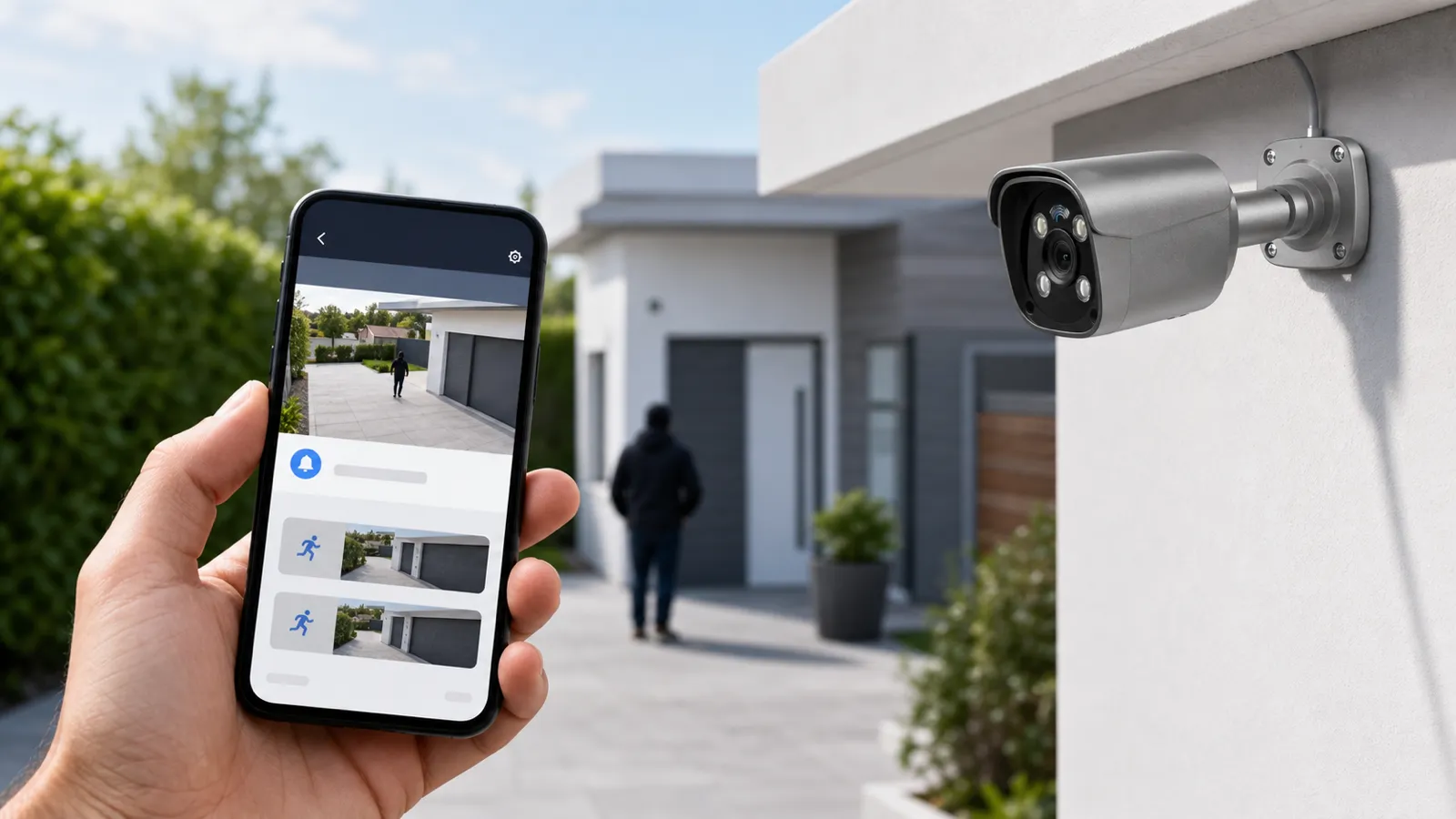
Smart motion alerts solve a problem most camera users know too well: too many notifications and not enough useful information. Older motion detection often treated every visible change as suspicious. Rain across an outdoor security camera, tree branches near a driveway, headlights sweeping across a wall, insects near infrared LEDs, and afternoon shadows could all trigger the same kind of alert. After a few days of that, many users stop paying attention.
Smart motion alerts combine motion detection with object classification, scene rules, schedules, and notification logic. Instead of asking only "did pixels change?", a modern security camera or NVR security system can ask, "Did a person, vehicle, or other relevant object enter this area at this time?" That is the difference between a phone buzzing every time a tree moves and a system that warns a manager when someone enters a loading dock after closing.
For buyers comparing a wired security camera, an IP camera, a PoE security camera system, or an AI surveillance platform, smart motion alerts should be judged as part of the whole setup. The lens, mounting angle, lighting, network stability, NVR processing, mobile app, recording settings, and privacy controls all affect alert quality. QuarkView may mention smart alerts as a feature, but in real projects they work best when the camera view and rules are designed together.
Plan this project
Use this article to define the requirement, then compare it with Explore QuarkView AI camera systems or contact QuarkView for project-level guidance.
Related planning guides
Smart alerts perform better when analytics, placement, remote viewing, and recorder settings are planned as one workflow. Start with AI surveillance trends, then compare camera placement planning and remote viewing setup before finalizing the layout. For a deeper operational layer, keep ONVIF compatibility in the planning path.
When the guide turns into a product shortlist, QuarkView buyers can compare NVR recorders, single PoE cameras, WiFi and wireless cameras based on coverage area, cable path, recording needs, and installation environment.
How it works
Basic motion detection normally works by analyzing changes between video frames. If enough pixels change in a selected area, the camera or recorder marks the event as motion. This approach is lightweight and can work for simple indoor spaces, but it is weak in complex scenes. It cannot reliably tell the difference between a person walking through a gate and sunlight flickering through leaves. It also struggles with rain, snow, camera vibration, insects, reflections, and moving shadows.
Smart motion alerts add filtering before they notify anyone. A user can draw zones over doors, driveways, entrances, counters, loading docks, parking spaces, or other risk areas, then ignore motion outside those zones. AI analytics on the camera, recorder, or cloud platform can classify people, vehicles, animals, and sometimes more specialized categories such as faces, license plates, packages, or abandoned objects. Event rules add another layer: line crossing, intrusion into a virtual area, loitering for longer than a set time, direction of travel, or vehicle presence after hours.
Where the analytics run affects cost and reliability. Edge analytics run directly on the IP camera or CCTV camera, so the system can send metadata or alerts instead of pushing every frame to a remote server for analysis. That often reduces bandwidth and alert delay. Recorder-based analytics run on the NVR security system, which can make sense when cameras are simpler or when an existing NVR has AI channels. Cloud analytics can offer flexible search and cross-site management, but they depend on internet connectivity, subscription terms, and privacy policies.
Smart motion alerts are closely tied to recording strategy. A system may record continuously while using alerts only to mark important events. Another system may record only when smart motion is detected. Continuous recording gives stronger evidence because it captures what happened before and after an event, while motion-only recording saves storage. Many professional users choose continuous recording on important cameras, plus smart motion markers for fast search. A PoE security camera system connected to an NVR often supports this approach because it has stable wired power, local storage, and consistent bandwidth.
Alert quality also depends on video quality. Object detection works better when the object is large enough in the frame, properly exposed, and not heavily blurred. A camera mounted too high may see movement but miss facial details. An outdoor security camera aimed into headlights or direct sunrise may lose contrast. A wide-angle camera may cover a large area but make people too small for reliable classification at long distance. A PTZ camera can zoom and track, but it may not record everything outside its current field of view unless paired with fixed overview cameras.
Night conditions are another major factor. Infrared cameras can detect motion in darkness, but insects near the lens, rain reflecting IR light, and overexposed close objects can create problems. Color night vision, white light, larger image sensors, and proper exterior lighting can improve smart alerts. Wide dynamic range is also useful at entrances where bright outdoor light and dark interiors meet.
Features to compare
Start with the difference between motion detection and object detection. Motion detection identifies changes. Object detection tries to identify what changed. For a buyer, this means "smart motion alerts" should be tested in the actual scene. A driveway may need people and vehicle detection. A stockroom may need person detection after hours. A restaurant POS area may need motion bookmarks during business hours, while a back door may need intrusion alerts only when closed.
Alert zones do much of the cleanup work. Good systems let users draw multiple zones and set different rules for each zone. A storefront camera can ignore the public sidewalk but send an alert if a person enters the recessed doorway after closing. A warehouse camera can ignore forklift movement in one aisle but notify when someone crosses a restricted line near a locked cage.
Sensitivity and object size need tuning after installation. High sensitivity catches more activity but may increase false alerts. Low sensitivity reduces noise but may miss real events. Object size filters help the system ignore small animals, insects, and distant movement. These settings should be adjusted after reviewing real footage from both day and night.
Notification design is easy to overlook. A smart alert is useful only if the right person receives it at the right time. Professional systems may support mobile push alerts, email snapshots, alarm outputs, VMS pop-ups, or integrations with access control. Schedules matter. A business may want alerts after closing but not during normal customer traffic. A home may want driveway vehicle alerts at night but not every time family members return during the day.
Evidence handling closes the loop. Smart alerts should link to recorded video with pre-event and post-event footage. A snapshot is useful, but video context is better. A reliable NVR security system should preserve timestamps, export clips cleanly, and allow searching by camera, time, and event type.
Match equipment to the site requirements
Buyers should first define the alert purpose. Is the goal to know when someone approaches a front door, detect vehicles entering a lot, protect a loading dock, reduce theft at a cash register, or speed up video review after an incident? Each purpose may require different camera positions and alert rules.
Next, compare camera-side AI and recorder-side AI. Camera-side AI is useful when each camera needs independent analytics and low-latency alerts. Recorder-side AI can be practical when upgrading an existing wired security camera system or when using several cameras without built-in AI. Confirm how many AI channels the NVR supports at the required resolution and frame rate, because some recorders support analytics only on a limited number of channels.
Resolution should be chosen based on identification needs, not only marketing numbers. A 4K IP camera can capture more detail than a 1080p camera, but lens selection, distance, mounting height, compression, and lighting still determine whether faces or plates are usable. In some locations, two well-placed lower-resolution cameras are more useful than one high-resolution camera watching too much area.
Network reliability matters. Wi-Fi cameras can be convenient, but a PoE security camera system is usually more stable for continuous recording and high-confidence alerts. PoE provides power and data through one Ethernet cable, reduces battery maintenance, and avoids many wireless congestion issues. For businesses, wired infrastructure is often the better long-term choice.
Storage and retention should be planned together with alerts. If the system records only alert clips, a missed detection can mean no evidence. If it records continuously, smart motion alerts become a search tool rather than the only record. Important entrances, cash handling areas, school corridors, hotel lobbies, and apartment package rooms often benefit from continuous recording with smart bookmarks.
Privacy and cybersecurity also belong in the buying decision. Choose systems that support strong passwords, user roles, firmware updates, encrypted connections where possible, audit logs, and privacy masking. Disable audio unless there is a clear legal and operational reason to record it. Avoid exposing cameras directly to the internet.
Common Applications
In residential use, smart motion alerts help homeowners monitor front doors, side gates, driveways, garages, and backyards. Person detection can reduce alerts from pets or trees. Vehicle detection can notify when a car enters the driveway. Package-related alerts can support front porch awareness when the camera angle is suitable.
In retail and office environments, smart alerts can protect entrances, stockrooms, server rooms, reception areas, and parking lots. A business surveillance system can send after-hours alerts when a person enters a restricted zone while still allowing normal daytime traffic. In warehouses, line-crossing rules can monitor loading docks, perimeter fences, and high-value storage.
In restaurants, alerts can focus on back doors, delivery doors, cash rooms, and liquor storage rather than constantly alerting on dining room movement. In hotels and apartment buildings, smart motion can help staff find incidents in lobbies, parking areas, elevators, package rooms, and other common spaces while respecting private areas.
In schools, smart alerts can be useful for perimeter gates, after-hours building entries, and restricted service areas. They must be paired with clear policies on access, retention, privacy, and incident review.
Common Problems
Alert overload is the complaint users notice first. It usually comes from wide detection zones, high sensitivity, poor placement, or basic motion detection in outdoor scenes. Narrower zones, person or vehicle filtering, object-size limits, and day-night testing usually reduce the noise.
Missed alerts are harder to spot because they often appear only after someone reviews the recording. They may occur when the object is too small, the camera angle is too steep, the lens is dirty, the scene is too dark, or the AI rule is too restrictive. They can also happen if a PTZ camera is pointed away from the area when the event occurs. Fixed cameras are usually better for constant alert coverage.
Delayed notifications are often caused by weak network connectivity, overloaded recorders, mobile app settings, cloud service latency, or phone power-saving rules. Wired cameras and local NVR recording can improve reliability, but remote notifications still depend on internet and mobile network performance.
False alerts at night often involve insects, rain, snow, fog, or IR reflection. Cleaning the lens, adjusting IR intensity, changing camera angle, using external lighting, or choosing a better outdoor security camera can help.
Privacy complaints can happen when cameras watch beyond the intended area. Use privacy masks, correct lens direction, and written policies for shared residential or workplace environments.
FAQ
What are smart motion alerts? Smart motion alerts are notifications generated when a camera or recorder detects relevant activity, often using AI to classify people, vehicles, or other objects instead of reacting to all pixel movement.
Are smart motion alerts the same as AI surveillance? They are one part of AI surveillance. AI surveillance can also include object search, people counting, license plate recognition, behavior analytics, and operational reporting.
Do I need an AI camera for smart alerts? Not always. Some NVR security system models can analyze video from standard IP cameras, but camera-side AI often provides faster and more flexible event detection.
Are smart alerts reliable outdoors? They can be reliable when the outdoor security camera has a good angle, enough lighting, proper weather rating, and well-configured detection zones. Poor placement can still create false or missed alerts.
Should alerts trigger recording or only mark recorded video? For important locations, continuous recording with smart alert markers is safer. Motion-triggered recording saves storage but can miss evidence if detection fails.
Can a PTZ camera provide smart motion alerts? Yes, some PTZ camera models support AI tracking and alerts. However, a PTZ sees only where it is pointed, so fixed cameras are often needed for constant coverage.
Summary
Smart motion alerts are useful when they are treated as a system design choice, not a magic switch. They depend on clear camera views, stable wired or PoE connectivity, tuned zones and schedules, and recorded video that can be reviewed later. For QuarkView buyers comparing AI surveillance options, the takeaway is simple: smart alerts help most when they reduce noise without becoming the only record of what happened.
How QuarkView Can Help
Explore related QuarkView products or contact QuarkView for project support, volume inquiries, and system planning help.
Reference Sources
- Axis Communications, video analytics and object analytics technical education: https://www.axis.com/solutions/video-analytics and https://help.axis.com/en-gb/axis-object-analytics
- Hanwha Vision, AI object detection and classification overview: https://www.hanwhavision.com/en/technology/object-detection-classification/
- Keenfinity/Bosch, intelligent video analytics overview: https://www.keenfinity-group.com/us/en/solutions/video-systems/video-analytics/video-analytics-solutions/intelligent-video-analytics/
- ONVIF, cybersecurity best practices for IP-based physical security products: https://www.onvif.org/profiles/whitepapers/onvif-recommendations-for-cybersecurity-best-practices-for-ip-based-physical-security-products/
- GOV.UK, police requirements and CCTV evidence guidance: https://www.gov.uk/government/publications/uk-police-requirements-for-cctv-systems