
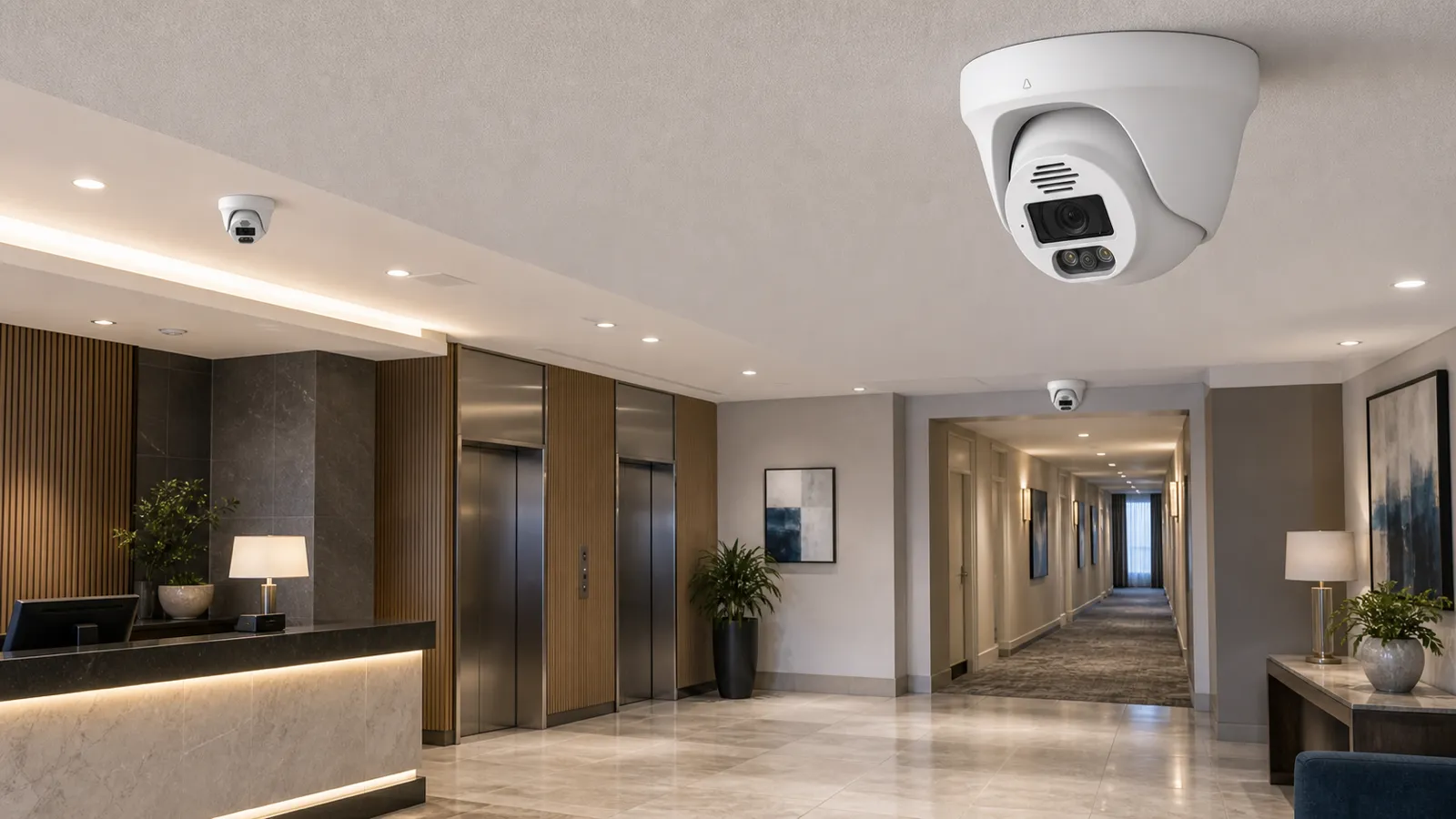
A hotel surveillance system has to protect guests, staff, property, and the business itself while respecting privacy. Hotels are complex environments. They include public lobbies, reception desks, elevators, corridors, meeting rooms, restaurants, bars, gyms, pools, parking, loading docks, offices, storage, and guest-room floors. A security camera system can document incidents, support staff response, discourage theft and vandalism, protect vehicles, and assist investigations. It can also create serious trust problems if installed in the wrong place or managed without clear rules.
Hotel CCTV planning starts with the line between shared areas and private areas. Cameras are commonly used in lobbies, hallways, elevators, parking areas, entrances, and other shared spaces. They should not be installed in guest rooms, bathrooms, changing rooms, or other places where guests reasonably expect privacy. Camera angles should also avoid looking into guest rooms through open doors or windows.
Modern hotel systems may include IP camera networks, a wired security camera backbone, a PoE security camera system, an NVR security system, VMS software, smart motion alerts, access control integration, and AI surveillance functions. A PTZ camera may be useful for parking lots or large public spaces, but fixed cameras remain essential for continuous views of entrances, reception, corridors, elevators, and service points. The system should read as a safety tool, not a guest-tracking project.
Plan this project
Use this article to define the requirement, then compare it with Review QuarkView commercial security solutions or contact QuarkView for project-level guidance.
Related planning guides
Hotel surveillance planning has to connect guest safety, privacy boundaries, remote monitoring, and reliable recording across large shared spaces. Start with camera placement planning, then compare privacy-aware camera planning and smart motion alerts before finalizing the layout. For a deeper operational layer, keep remote viewing setup in the planning path.
When the guide turns into a product shortlist, QuarkView buyers can compare PoE camera systems, NVR recorders, AI camera systems based on coverage area, cable path, recording needs, and installation environment.
How it works
Hotel surveillance design starts with guest and staff movement. Guests arrive at the entrance, check in at reception, pass through elevators or stairs, move along corridors, use amenities, visit restaurants or meeting spaces, and return to rooms. Staff move through back-of-house corridors, offices, kitchens, laundry, storage, loading docks, and service elevators. Vendors enter through delivery points. Each movement path has different security value.
The entrance and lobby usually come first. Cameras should capture arrivals, departures, luggage movement, reception interactions, and public-area incidents. Because hotel lobbies often include glass walls, bright exterior light, decorative lighting, and reflective floors, camera placement and WDR performance should be tested carefully. A wide overview camera may show the lobby, but dedicated cameras may be needed at the main entrance and reception desk for detail.
Reception desk coverage should document interactions and protect staff without exposing sensitive guest information on screens or documents. Camera angles should avoid close capture of payment card details, passports, or computer displays where possible. If a hotel needs to review a dispute, video should show the interaction, not unnecessary personal data.
Elevator lobbies, elevators, corridors, and stairwells are common locations for incident review. Cameras can help document property damage, harassment complaints, slips and falls, unauthorized access, or movement after an incident. Corridor cameras should be placed to view shared hallway areas, not into guest rooms. In elevators, vandal-resistant cameras and appropriate local compliance checks are important.
Parking lots and garages require special design. A general outdoor security camera can show vehicle movement, but plate capture requires a dedicated view with proper angle, lighting, shutter settings, and distance. Hotels with valet service, large parking structures, or event traffic may need separate overview, entrance, exit, and pedestrian-route cameras. A PTZ camera can support active monitoring, but fixed cameras should capture gates and payment points continuously.
Back-of-house coverage supports staff safety and operational control. Loading docks, kitchens, storage rooms, laundry areas, cash offices, IT rooms, and service corridors may need cameras. These areas often involve inventory, cash, equipment, and contractor access. A business surveillance system for a hotel should cover both guest-facing and staff-facing risk without turning surveillance into unnecessary employee monitoring.
The technical backbone matters. Hotels often have multiple floors, network closets, and long cable routes. A PoE security camera system can simplify power and data delivery, but larger properties may require managed switches, VLANs, fiber uplinks, redundant storage, and centralized monitoring. The NVR security system or VMS should support user permissions, audit logs, export controls, health monitoring, and enough retention for typical guest and insurance reporting timelines.
Features to compare
Privacy-by-design should be part of the installation plan. Decide camera locations, lens angles, privacy masks, access permissions, and retention before installation. Do not rely only on staff judgment after the system is live.
Layered coverage makes investigations easier. Entrances identify who arrived. Lobby cameras show movement. Elevator and corridor cameras show direction. Parking cameras show vehicle context. Back-of-house cameras show staff and vendor routes. These layers help reconstruct events without placing cameras in private spaces.
Access control integration is valuable. When keycard events, service door access, or restricted-room entries can be matched with video, investigations become faster and more accurate.
Guest data minimization matters. Cameras near reception, offices, or payment areas should avoid unnecessary capture of documents, screens, or payment details. Exported clips should be limited to the relevant event.
AI surveillance can help but needs governance. Person detection, vehicle detection, loitering alerts, and object search may improve response. Hotels should avoid intrusive or poorly explained analytics that could damage guest trust.
System uptime affects guest safety. Cameras, NVRs, hard drives, switches, and time settings need monitoring. A hotel may not discover a failure until after a guest complaint unless health checks are routine.
Check viewing distance and recorded detail
Start with a risk-based floor plan. Mark the lobby, reception, entrances, elevators, corridors, stairwells, parking, loading docks, restaurants, bars, pools, gyms, meeting rooms, offices, cash rooms, storage, IT rooms, and staff routes. Then decide where video is necessary and where it is inappropriate.
Choose camera models for each environment. Decorative lobbies may need discreet dome or turret cameras. Parking lots need weather-rated outdoor cameras. Elevators and public corridors may need vandal-resistant housings. Back-of-house areas may need cameras resistant to dust, humidity, or grease. PTZ camera models may require higher PoE budgets and stronger mounting.
Plan storage and retention with guest reporting patterns in mind. Guests may report lost property, vehicle damage, or harassment after checkout. Events and conferences may create temporary traffic spikes. Retention should be long enough for practical investigation while respecting privacy and legal requirements.
Review cybersecurity. Hotel networks often support guest Wi-Fi, PMS systems, POS systems, access control, phones, and surveillance. Camera networks should be segmented and protected. Strong passwords, firmware updates, secure remote access, and role-based permissions are essential.
Create access rules. Front desk staff may need limited live views. Security managers may need search and export rights. IT may manage infrastructure. Not everyone should access all cameras, especially corridor or back-office footage.
Use notices and policies. Guests and staff should understand that public areas are monitored for safety and security. Policies should explain retention, access, export, and complaint handling.
Common Applications
Lobby and reception cameras document arrivals, departures, guest interactions, luggage movement, and public incidents. They are often the first footage reviewed after a complaint.
Elevator and corridor cameras help investigate property damage, unwanted contact, lost items, and movement between areas. Angles must avoid guest-room interiors.
Parking and valet cameras help document vehicle condition, access, vandalism, theft, and pedestrian safety. Dedicated cameras may be needed at entrances and exits.
Restaurants, bars, and event spaces use cameras for safety, crowd management, cash handling, and incident review. Camera placement should be less intrusive than in pure security zones.
Pools, gyms, and amenities may need cameras at entrances or general public areas, but never in changing rooms, restrooms, saunas, or locker rooms.
Back-of-house cameras protect loading docks, storage, cash offices, IT rooms, laundry, and service corridors. These cameras support staff safety and operational accountability.
Common Problems
Privacy violations are the most damaging failure. Cameras must not be placed in guest rooms, bathrooms, changing areas, or other private spaces. Angles must not peer into rooms through open doors.
Lobby exposure often fails because the space looks good to the eye but not to the camera. Bright entrances and reflective surfaces can make faces unusable. Test WDR and angles during real lighting conditions.
Parking footage often lacks detail. A wide camera may show that a car was damaged but not identify the vehicle involved. Use choke-point cameras for detail.
Retention may be too short for guest complaints. Hotels should align retention with practical reporting timelines and legal requirements.
Unauthorized footage access can harm trust. Limit access, use audit logs, and train staff on proper handling.
Cybersecurity gaps can expose video or disrupt operations. Avoid direct internet exposure of cameras and shared administrator passwords.
FAQ
Where should hotel surveillance cameras be placed? Typical locations include entrances, lobbies, reception, elevators, corridors, stairwells, parking, restaurants, bars, event spaces, loading docks, storage, and back-of-house corridors.
Can hotels place cameras in guest rooms? No. Guest rooms, bathrooms, changing areas, and similar private spaces should not have surveillance cameras.
Is a PoE security camera system suitable for hotels? Yes. PoE is commonly useful for hotels, though larger properties may need managed switches, fiber links, VMS software, and distributed recording architecture.
Can hotel cameras record audio? Audio recording is sensitive and may be restricted by law. Hotels should avoid audio unless there is a specific legal review and clear notice.
How can hotels protect guest privacy while using CCTV? Use common-area-only placement, privacy masks, limited user access, audit logs, retention limits, clear notices, and careful export procedures.
Can AI surveillance help hotels? Yes, especially for smart alerts, vehicle detection, loitering review, and faster search. It should be deployed with clear policy and privacy controls.
Summary
A hotel surveillance system should improve safety and incident response without intruding on guest privacy. Focus on shared areas, guest and staff movement paths, parking, reception, back-of-house risk, and responsible data handling. A reliable IP camera network, PoE security camera system, NVR security system, and privacy-aware policy help hotels protect people and property while maintaining trust.
How QuarkView Can Help
Explore related QuarkView products or contact QuarkView for project support, volume inquiries, and system planning help.
Reference Sources
- Avigilon, hotel security camera systems guide: https://www.avigilon.com/blog/hotel-security-camera-systems
- Hotel Facility Guide, hotel CCTV system design and operational guidance: https://hotelfacilityguide.com/security/hotel-cctv-systems-guide/
- UTH, hotel video surveillance compliance and best practices: https://www.uth.fr/en/magazine/video-surveillance-security/hotel-video-surveillance-security-compliance-best-practices
- Time, hotel public-area camera and guest-room privacy discussion: https://time.com/4914689/hotels-hidden-cameras-spy/
- ICO, video surveillance data protection guidance: https://ico.org.uk/for-organisations/uk-gdpr-guidance-and-resources/cctv-and-video-surveillance/guidance-on-video-surveillance-including-cctv/how-can-we-comply-with-the-data-protection-principles-when-using-surveillance-systems/
- ONVIF, cybersecurity best practices for IP-based physical security systems: https://www.onvif.org/profiles/whitepapers/onvif-recommendations-for-cybersecurity-best-practices-for-ip-based-physical-security-products/