
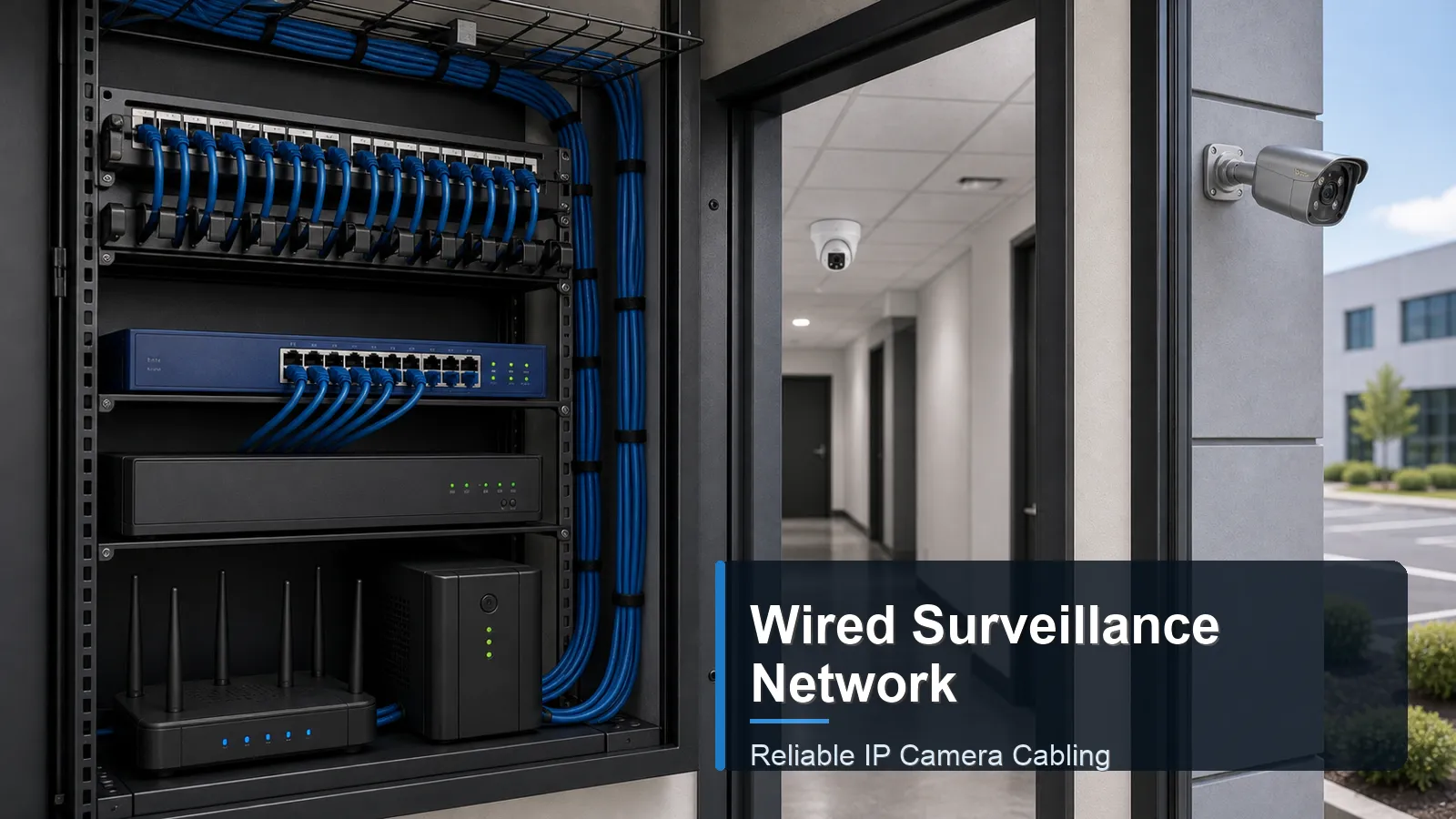
A reliable wired surveillance network is the foundation of a stable IP camera system. Cameras, NVRs, PoE switches, cables, routers, and storage devices must work together continuously. The network must carry video traffic every hour, power PoE camera devices safely, support remote access when required, and keep recording even when the business is closed.
Wired systems are often preferred for permanent CCTV camera installations because Ethernet cabling is more predictable than Wi-Fi for continuous recording. A wired surveillance system is not automatically reliable, however. Poor cable, weak PoE budgets, overloaded uplinks, unprotected outdoor runs, and insecure remote access can all create failures.
How it works
The first layer is physical cabling. Use cable suited for the installation environment, including indoor, riser, plenum, or outdoor-rated cable where applicable. Permanent PoE camera runs should use quality copper conductors, proper termination, and protected pathways. Keep runs within Ethernet distance limits and avoid routing near sources of interference or physical damage. Label each cable at both ends so troubleshooting does not depend on memory.
The second layer is power. A PoE switch or PoE NVR port must provide enough power for the connected cameras. Check both per-port power and total switch budget. Infrared LEDs, motorized lenses, heaters, and PTZ functions may increase demand. If cameras reboot at night, the system may have enough data connectivity but not enough power margin.
Reliable wired surveillance network design elements
Element
Purpose
Good practice
Failure sign
Cable
Carry data and PoE power
Use suitable solid copper cable and protect outdoor paths
Intermittent camera drops or PoE failures
PoE switch
Power and aggregate camera traffic
Confirm port power, total budget, and uplink capacity
Cameras reboot when IR turns on
NVR
Record and manage video
Check channel count, bandwidth, storage, and user access
Playback gaps or early overwrite
Network security
Limit unauthorized access
Use strong passwords, updates, VLANs where appropriate, and restricted remote access
Review login activity and camera interface access
The third layer is traffic design. Camera streams flow to the NVR security system, and many cameras may share one switch uplink. Calculate expected bitrate and confirm uplink capacity. A business surveillance system may benefit from a separate camera VLAN, dedicated switches, or a separated physical network. The goal is not complexity; the goal is predictable recording and simpler troubleshooting.
The fourth layer is resilience. Use UPS backup for the NVR, switches, router, and critical network points. Consider surge protection for outdoor security camera lines, especially on poles, fences, or exposed building edges. Store the NVR in a locked, ventilated place. A camera network that works only in perfect conditions is not a reliable security system design.
The fifth layer is network addressing and naming. Static IP addresses or managed reservations help the NVR find cameras consistently. Camera names should describe location and purpose, such as Front Door Detail or Loading Dock Overview, instead of generic labels. This reduces mistakes during playback, export, and maintenance, especially when a site has many similar corridors or exterior walls.
The sixth layer is testing. A wired network should be checked with more than a quick live view. Test cable continuity, confirm link speed, review switch port status, check camera uptime, and play back recorded footage from the NVR. If a camera negotiates at a lower link speed than expected, drops packets, or records gaps, the issue should be corrected before handover.
In a QuarkView PoE surveillance example, cameras are grouped by building side, each group is labeled at the patch panel, and switch uplinks are checked against expected recording bandwidth.
Features to compare
Topology describes how cameras connect to switches and recorders. A star topology is common, with cameras connecting back to a switch or NVR. Larger sites may use distributed switches connected by uplinks.
VLANs can separate camera traffic from office computers. This can improve security and make bandwidth easier to understand, but it should be configured by someone comfortable with networking.
PoE budget is the total available power across switch ports. Count camera wattage under worst-case conditions, not only idle daytime operation.
Documentation is a reliability feature. Camera names, IP addresses, cable labels, switch ports, passwords, firmware versions, and NVR channels should be recorded for maintenance.
Match power, cables and network capacity
Choose equipment as a system. A strong camera connected through poor cable to an undersized switch will not perform reliably. Review cable type, switch capacity, NVR bandwidth, storage, and remote access requirements together.
Ask whether the project uses direct NVR PoE ports or external PoE switches. Direct ports may be simpler for small systems. External switches may be better for larger buildings, long layouts, or camera groups far from the recorder.
Consider maintenance access. Switches in ceiling voids or outdoor boxes can be hard to reset or test. A clean installation keeps active equipment accessible, ventilated, labeled, and protected from tampering.
Include cybersecurity in purchasing. Use devices that support password management, firmware updates, time synchronization, user roles, and secure remote access. Network cameras are IT devices and should be treated accordingly.
Decide who owns the network after installation. In a home, the owner may manage passwords and app access. In a company, IT, security, facilities, or an installer may share responsibility. The handover should state who can add users, update firmware, change recording settings, and approve remote access.
Avoid hidden single points of failure. If every camera group depends on one small unmanaged switch above a ceiling, a simple power fault can remove a large part of the system. Critical sites should place switches where status lights, power, and cable labels can be inspected quickly.
Plan capacity for service work. A spare switch port, a spare NVR channel, and labeled patch points make it easier to test a replacement camera or temporary view without disturbing the whole system. This small amount of reserved capacity can reduce downtime during repairs.
Review environmental protection for every active device. Indoor switches should not be placed where heat builds up, and outdoor junction points should be protected against water entry. Reliable networking depends on ordinary physical conditions as much as technical specifications.
Common Applications
Homes use wired networks for stable recording around doors, garages, driveways, and yards. A small PoE switch or PoE NVR can keep the system simple.
Retail and office sites use wired camera networks for entrance, checkout, corridor, storage, and outdoor views. Stability is important because footage is often needed after a dispute or delivery issue.
Warehouses and factories use distributed switches for long building layouts, loading docks, and yard cameras. Fiber or longer-distance network design may be needed for separate buildings or gate houses.
Schools, clinics, and shared offices also benefit from documented wired networks because user access, privacy zones, and maintenance responsibilities may involve several teams.
Common Problems
A common problem is using low-quality or unsuitable cable. Cameras may work during testing but fail under PoE load, long distance, heat, moisture, or movement.
Another problem is unmanaged expansion. Adding cameras without checking switch uplinks, PoE budget, or NVR bandwidth can create intermittent failures that are difficult to diagnose.
A third problem is weak security. Default passwords, exposed ports, shared accounts, and outdated firmware increase risk for any IP camera network.
A fourth problem is undocumented changes. A camera may be moved, a switch port may be reused, or a router may be replaced. Without updated records, the system becomes harder to support and future troubleshooting takes longer.
FAQ
Is wired better than wireless for surveillance?
For permanent continuous recording, wired connections are usually more stable and predictable than Wi-Fi.
Can I use normal Ethernet cable for PoE cameras?
Use suitable, standards-compliant copper Ethernet cable for the environment and distance. Avoid poor-quality cable for permanent PoE loads.
Do I need a separate network for cameras?
Small systems may not need one. Larger business systems often benefit from a separate VLAN or dedicated switches.
Why do cameras drop offline at night?
Night IR can increase power draw. Drops at night often indicate insufficient PoE budget, weak cable, or power instability.
Should the NVR be on a UPS?
Yes, for many systems. A UPS can keep recording during short power interruptions and reduce corruption risk during outages.
Summary
A reliable wired surveillance network depends on cable quality, PoE power, switch capacity, NVR bandwidth, storage, documentation, physical protection, and cybersecurity. The most stable systems are designed as networks, not just camera kits.
Prepared for international buyers by the QuarkView Security Learning Center, this guide supports CCTV camera networking, IP camera wiring, PoE camera power planning, NVR security system design, wired surveillance system reliability, surveillance storage, outdoor security camera protection, and business surveillance system maintenance.
Plan Your Security Camera System With QuarkView
If you are comparing wired surveillance networks, Ethernet cable routing, PoE switch racks, NVR connections, and reliable IP camera infrastructure, explore related QuarkView products or contact QuarkView for project and volume inquiry support.
Related QuarkView Planning Resources
For the next planning step, compare How to Choose the Right NVR Channel Count, Security Camera Bandwidth Planning for IP Camera Systems, What Is a PoE Security Camera System?, Common CCTV Installation Mistakes and How to Avoid Them, Outdoor Security Camera Installation Guide. These related guides connect product selection, placement, recording, installation, and long-term reliability decisions.
Related QuarkView Collections
Reference Sources
- Telecommunications Industry Association. TIA-568.2-D balanced twisted-pair cabling project information. Source link (https://standards.tiaonline.org/tia-issues-call-interest-new-project-balanced-twisted-pair-telecommunications-cabling-and-components)
- IEEE Standards Association. IEEE 802.3bt-2018 Power over Ethernet over 4 pairs. Source link (https://standards.ieee.org/standard/802_3bt-2018.html)
- Ethernet Alliance. Overview of 802.3bt Power over Ethernet standard. Source link (https://ethernetalliance.org/wp-content/uploads/2019/12/WP_EA_Overview8023bt_V2p1_FINAL.pdf)
- Axis Communications. Bitrate control for IP video. Source link (https://whitepapers.axis.com/en-us/bitrate-control-for-ip-video)
- CISA. Securing the Internet of Things. Source link (https://www.cisa.gov/news-events/news/securing-internet-things-iot)
- NIST. IoT Device Cybersecurity Guidance for the Federal Government. Source link (https://www.nist.gov/publications/iot-device-cybersecurity-guidance-federal-government-establishing-iot-device)