
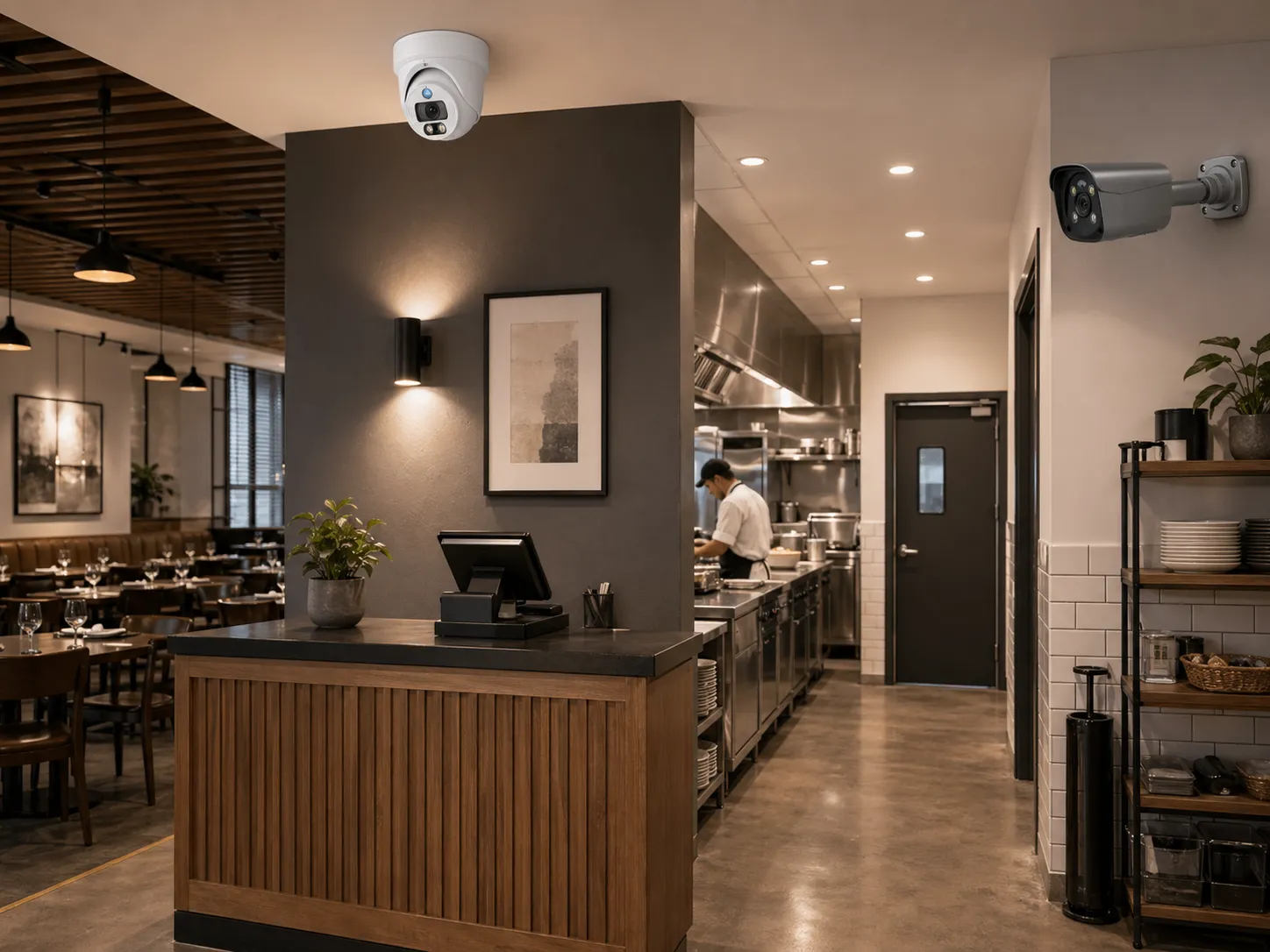
A restaurant CCTV system has to deal with a messy, fast-moving environment. Cameras can document customer incidents, review deliveries, support cash handling controls, verify drive-thru or pickup disputes, protect staff at closing, and improve operational visibility. Restaurants combine public dining areas, cash transactions, food preparation, storage, delivery entrances, bars, kitchens, patios, offices, and parking. Each area creates a different surveillance need.
Good restaurant camera planning avoids two common mistakes. One is under-coverage: cameras only at the entrance and cash register, leaving back doors, stockrooms, walk-in coolers, kitchens, and parking without useful video. The other is over-monitoring: cameras placed without a clear purpose, recording private or sensitive areas, or making staff and guests feel unnecessarily watched. The plan should be clear, limited, and tied to safety, evidence, and operations.
Modern restaurant systems often use IP camera networks, a wired security camera backbone, a PoE security camera system, an NVR security system, smart motion alerts, POS integration, remote viewing, and AI surveillance features. A PTZ camera may be used in a parking lot or large dining space, but fixed cameras are usually better for continuous evidence at doors, registers, and kitchen routes. For QuarkView buyers, the useful question is not "how many cameras?" but "which business questions should the footage answer?"
Plan this project
Use this article to define the requirement, then compare it with Review QuarkView retail and restaurant solutions or contact QuarkView for project-level guidance.
Related planning guides
Restaurant CCTV works best when public areas, staff zones, night visibility, and operational review needs are planned before choosing camera models. Start with camera placement planning, then compare two-way audio camera use and night surveillance options before finalizing the layout. For a deeper operational layer, keep smart motion alerts in the planning path.
When the guide turns into a product shortlist, QuarkView buyers can compare PoE camera systems, NVR recorders, single PoE cameras based on coverage area, cable path, recording needs, and installation environment.
How it works
Restaurant CCTV design starts with movement and transaction flow. Customers enter, order, pay, wait, dine, pick up food, and leave. Employees move between kitchen, prep, storage, walk-in, bar, office, trash area, and delivery door. Vendors deliver goods through front or rear entrances. Incidents can occur anywhere along these paths, but the camera plan should focus on the points where evidence will be most useful.
Entrances and exits deserve careful placement because they capture who enters and leaves. A CCTV camera at the front entrance should be positioned for facial detail, not only a wide view of the doorway. If the door has bright glass, use WDR, a side angle, or additional lighting. Rear exits, delivery doors, and trash-area doors matter too because staff, vendors, and after-hours activity often use them.
POS and cash register coverage is central to restaurant loss prevention. The camera should show the transaction area, cashier hands, cash drawer, customer interaction, and sometimes the receipt printer or order display. It should not be aimed so tightly that it captures sensitive payment card data. When POS integration is available, transaction data can be linked to video for faster review of voids, refunds, discounts, no-sale drawer openings, or disputed orders. This is especially useful for multi-location operators and quick-service restaurants.
Kitchen and prep cameras should be designed carefully. The goal is usually safety, workflow review, inventory access, and incident documentation, not invasive employee monitoring. Cameras can cover the pass, prep tables, receiving areas, walk-in entrances, dish areas, and high-value storage. They should be placed away from steam, grease, heat, and splashing water. Housings and mounts should be easy to clean and suitable for the environment.
Dining rooms and bars need general coverage. Wide-angle cameras can document slips, falls, disputes, service issues, and property damage. Bar cameras may also support cash control, age-verification disputes, over-service investigations, and inventory protection. However, camera placement should respect customer comfort. Avoid overly tight close-ups of tables unless there is a defined security reason.
Exterior and parking coverage supports staff safety and asset protection. Outdoor security camera models should monitor parking, patios, drive-thru lanes, delivery zones, dumpsters, and employee entrances. Vehicle detail requires specific placement at lanes or entrances; a general parking camera may not capture license plates.
For most restaurants, a PoE security camera system connected to an NVR security system is a practical baseline. PoE reduces power outlet clutter, supports continuous recording, and allows cameras to be centrally managed. Restaurants with multiple locations may add cloud health monitoring, remote access, and AI search to reduce management time.
Features to compare
POS video integration is worth considering for restaurants with frequent cash or order disputes. It links transaction records to video so managers can search by transaction time, employee ID, void, refund, discount, or drawer opening depending on the system. This reduces the time spent manually scanning footage.
After-hours smart alerts can protect back doors, patios, stockrooms, offices, and parking. AI surveillance features such as person detection can reduce false alarms from lighting changes, small animals, or moving shadows.
Kitchen-ready placement means considering heat, grease, steam, water, and cleaning. A standard indoor camera may perform poorly near a fryer, dish station, or steam table. Lens cleanliness should be part of maintenance.
Separate overview and detail views prevent disappointment later. A dining room overview camera can show an incident, while an entrance or POS camera provides identification detail. Do not expect one wide camera to capture everything.
Privacy and policy are essential. Cameras should not be installed in bathrooms, changing areas, staff restrooms, or any location with a reasonable expectation of privacy. Audio recording requires extra caution and legal review.
Retention planning should match restaurant operations. Some disputes are noticed immediately, while inventory or cash discrepancies may be reviewed later. Multi-location restaurants may need consistent retention across sites.
Match equipment to the site requirements
Start by mapping the restaurant floor plan. Mark all customer entrances, employee entrances, POS stations, bar stations, kitchen line, prep area, walk-ins, dry storage, office, safe, delivery door, patio, drive-thru, parking, dumpster, and emergency exits. Assign each camera a purpose.
Choose camera types based on the environment. Turret or dome cameras are common for dining rooms and corridors. Vandal-resistant cameras may be appropriate near public restrooms, bars, patios, and exterior doors. Outdoor security camera models should be weather-rated for parking, drive-thru, and delivery areas. A PTZ camera can be used for active parking lot monitoring, but fixed cameras should cover choke points continuously.
Check NVR capacity and storage. Restaurants often have long operating hours and high motion. A busy dining room or kitchen can generate more data than a quiet office. Calculate retention using realistic bitrates, not only default assumptions. If the system records continuously, verify that hard drive capacity supports the desired retention.
Plan network separation. Cameras, POS terminals, guest Wi-Fi, office computers, and payment systems should not be casually mixed without security planning. Work with IT or a qualified integrator to segment camera traffic and protect remote access.
Consider lighting. Dining rooms may be dim for atmosphere. Kitchens may be bright but reflective. Parking lots may be unevenly lit. Choose cameras with suitable low-light performance and test night footage.
Document employee and customer notice. Signs, handbook language, and internal policies should explain that surveillance is used for security and safety. Keep access limited to authorized managers or security staff.
Common Applications
Front entrance cameras capture customer and visitor identity. They also help verify peak traffic periods and incidents near the door.
POS cameras support cash control, refund review, order disputes, and employee protection when false accusations occur. Integrated systems make review faster.
Kitchen and prep cameras support safety investigations, workflow review, and inventory access review. They can help document accidents or equipment-related incidents.
Back door and delivery cameras protect receiving operations and after-hours access. They are especially important for restaurants with late deliveries or staff closing alone.
Dining room and bar cameras document customer incidents, property damage, slips, falls, and service disputes. They can also help review crowding during peak hours.
Parking, patio, and drive-thru cameras support vehicle incidents, customer safety, delivery pickup, and perimeter awareness.
Common Problems
Missing the back of house is a common restaurant mistake. Owners often install cameras where customers are visible but neglect delivery doors, walk-ins, storage, and offices, where many losses or safety incidents occur.
POS footage can look acceptable live and still fail during review. A camera may show the register but not the cash drawer or hands. It may also be too wide to verify details. Adjust the angle carefully while avoiding sensitive payment data.
Kitchen cameras can fail due to grease, steam, heat, or poor cleaning access. Select appropriate housings and schedule lens cleaning.
Night footage may be weak in parking or patio areas. Add lighting or choose better low-light outdoor cameras.
Remote access can create cybersecurity risk if configured poorly. Avoid shared passwords and direct port forwarding. Use secure access methods and unique accounts.
Staff concerns may arise if cameras are perceived as constant performance monitoring. Clear policy and purposeful placement help reduce conflict.
FAQ
Where should cameras be placed in a restaurant? Common locations include entrances, POS, dining room, bar, kitchen pass, prep area, walk-ins, storage, office, safe, back door, delivery area, patio, drive-thru, and parking.
Should a restaurant CCTV system connect to POS data? POS integration can be very useful because it links transaction records to video, making refunds, voids, discounts, and cash drawer events easier to review.
Can cameras be installed in restaurant kitchens? Yes, cameras can be used in kitchens for safety and operations, but they should avoid private areas, be placed for clear business purposes, and be suitable for heat, steam, grease, and cleaning conditions.
Is a wired security camera system better for restaurants? Usually yes. A wired or PoE security camera system is more reliable for continuous recording than Wi-Fi in a busy commercial environment.
How long should restaurant video be retained? Retention depends on risk, local rules, storage budget, and how quickly incidents are reported. Many restaurants plan for enough time to review customer, cash, and inventory issues after they are discovered.
Can AI surveillance help restaurants? Yes. Person detection, vehicle detection, smart alerts, and search tools can reduce review time and improve after-hours awareness, but they should support clear operational goals.
Summary
A restaurant CCTV system should be planned around entrances, transactions, food-service workflow, safety, and after-hours risk. Clear camera placement, reliable PoE or wired infrastructure, adequate NVR storage, secure remote access, and privacy-aware policies matter more than camera count. Each security camera should answer a useful operational or safety question.
How QuarkView Can Help
Explore related QuarkView products or contact QuarkView for project support, volume inquiries, and system planning help.
Reference Sources
- Solink, QSR and workplace camera placement references: https://solink.com/lp/restaurant-qsr-floorplan-camera-placement/ and https://solink.com/resources/security-camera-placement/
- Eufy, restaurant security camera guide: https://www.eufy.com/blogs/security-camera/restaurant-security-camera
- ASIS Food Defense and Agriculture Security Steering Committee, food and beverage physical security guidance: https://foodsafetytech.com/wp-content/uploads/2022/01/ASIS-PracticalGuidance-Food-and-Beverage-Phyical-Security-Final-Draft-Nov-21.pdf
- GOV.UK, small business CCTV guidance: https://assets.publishing.service.gov.uk/government/uploads/system/uploads/attachment_data/file/142684/cctv-small-business-guidance.pdf
- ONVIF, cybersecurity best practices for IP-based physical security systems: https://www.onvif.org/profiles/whitepapers/onvif-recommendations-for-cybersecurity-best-practices-for-ip-based-physical-security-products/
Related QuarkView resources
- Review QuarkView retail and restaurant solutions
- View QuarkView security solutions
- Contact QuarkView for layout, OEM, or volume questions
Use the small-business system options to match your entrance, counter and stock-handling views to equipment. Include night lighting and access controls in the configuration request.