
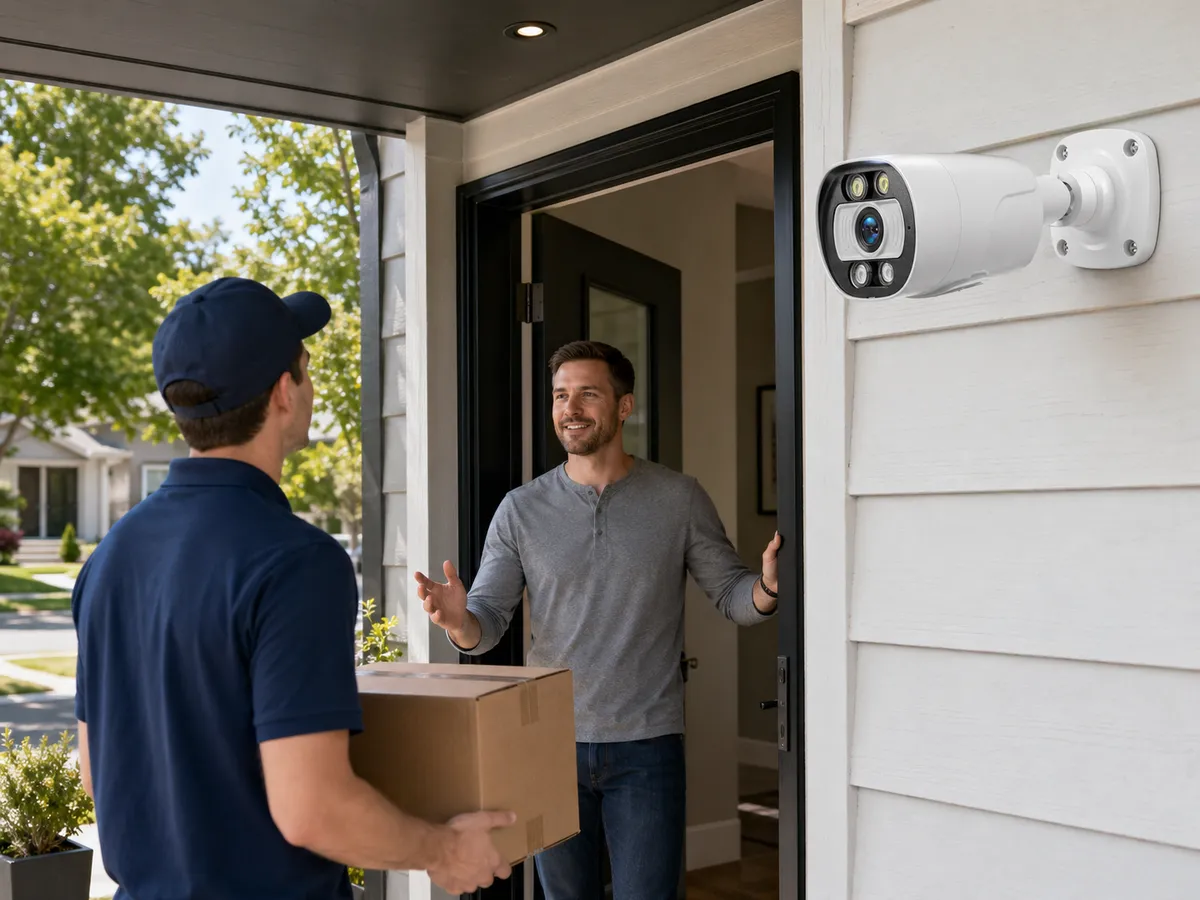
A two-way audio security camera combines video surveillance with live voice communication. In addition to the normal camera functions of viewing, recording, and event detection, it allows a user to hear audio from the camera location and speak back through a built-in speaker or connected audio device. In residential, retail, warehouse, school, gate, and small business environments, a two-way audio security camera can turn a passive security camera into an interactive communication point.
The feature appears in many types of equipment, including Wi-Fi cameras, wired security camera models, IP camera systems, smart doorbell cameras, outdoor security camera products, and some PoE camera designs. In professional installations, two-way audio may be used with an NVR security system, a video management system, or a mobile app. It can support visitor greeting, remote assistance, deterrence, verification of alarms, and operational communication.
Audio also adds limits that video buyers sometimes overlook. Sound quality depends on microphone placement, speaker power, background noise, network delay, echo control, weather, and privacy requirements. Audio recording can also be more legally sensitive than video recording in many jurisdictions.
Plan this project
Use this article to define the requirement, then compare it with Explore QuarkView smart camera systems or contact QuarkView for project-level guidance.
Related planning guides
Two-way audio decisions usually sit next to remote access, compatibility, and site policy questions, so these adjacent guides help turn the feature into a usable workflow. Start with remote viewing setup, then compare ONVIF compatibility and office security camera planning before finalizing the layout. For a deeper operational layer, keep restaurant CCTV operations in the planning path.
When the guide turns into a product shortlist, QuarkView buyers can compare WiFi and wireless cameras, single PoE cameras, security camera accessories based on coverage area, cable path, recording needs, and installation environment.
How it works
A standard surveillance system captures video. A two-way audio security camera adds at least two extra functions: audio input and audio output. Audio input means the camera has a microphone, an external microphone connection, or a network audio input device. Audio output means the camera has a built-in speaker, an audio output jack connected to an amplified speaker, or a paired network speaker.
The simplest design uses a small built-in microphone and a small built-in speaker. It is common in consumer cameras and compact business cameras. It is convenient, but the microphone may capture wind, street noise, fan noise, or echo from the speaker. The speaker may be loud enough for a doorway or small room but not enough for a loading yard or noisy factory floor.
Professional systems may separate the audio components. A camera can provide the video view while a dedicated horn speaker, ceiling speaker, intercom station, or microphone handles the audio. This approach is useful when the best camera position is not the best speaker position. For example, an outdoor security camera may be mounted high under an eave, but a speaker may need to be lower and aimed toward a gate or pedestrian path.
Two-way audio uses different communication modes. Simplex audio works in only one direction at a time. For example, the camera may send microphone audio to the user, or the user may speak through the speaker, but not both as a conversation. Half-duplex audio allows communication in both directions, but only one side speaks at a time, similar to a walkie-talkie push-to-talk system. Full-duplex audio allows both sides to speak and listen at the same time, similar to a phone call. Full-duplex is more natural, but it is more sensitive to echo and feedback because the microphone can pick up sound coming from the speaker.
In an IP camera system, the video and audio are encoded into network streams. The camera may support audio codecs such as G.711, G.726, AAC, or Opus, depending on product class and platform. The receiving client must understand the stream and send talk-back audio in a format the camera or audio device accepts. In brand-matched systems, the manufacturer app or NVR interface normally handles this. In mixed-brand systems, protocol support carries more weight. ONVIF Profile T includes advanced video streaming capabilities and can support bidirectional audio when implemented, but buyers should still test the specific camera, recorder, and client combination.
Network design affects the user experience. A two-way audio conversation is sensitive to latency. If the camera is viewed through a remote cloud service, mobile network, slow internet connection, or overloaded NVR, the delay may make conversation awkward. A delay of several hundred milliseconds may be acceptable for a brief warning or instruction, but a multi-second delay can cause people to talk over each other. Local LAN viewing is usually faster than remote viewing through relay servers.
Power and installation are also relevant. A small PoE camera can receive both power and data through Ethernet, which simplifies installation in a PoE security camera system. However, speaker volume may be limited by available power. A loud speaker, strobe speaker, heater, motorized lens, IR illuminator, and AI processor can increase power demand. The PoE switch must provide enough power budget for all connected devices.
Audio recording is different from live talk. Some systems allow live listening but do not record audio. Others record audio continuously with video, only during events, or only when enabled by the administrator. Decide early whether the goal is live communication, recorded evidence, or both. Document the settings, control access, and check whether privacy notices are needed for the location.
Features to compare
Microphone design determines how well the camera hears the scene. Built-in microphones are convenient but may not capture clear speech at distance. External microphones can be placed closer to the sound source but require additional cabling, power, and weather protection.
Speaker design determines how well people hear the operator. Built-in speakers are suitable for close-range talk-down, visitor greeting, or package delivery instructions. Horn speakers or network speakers are better for parking areas, gates, yards, and noisy sites.
Duplex mode affects conversation quality. Push-to-talk half-duplex is simple and often reliable. Full-duplex feels more natural but requires better echo cancellation and careful placement.
Latency affects usability. A remote viewing security camera may show video and audio through a mobile app, but long network delays reduce the value of two-way communication.
Noise reduction and echo cancellation help, but they are not magic. Wind, traffic, machinery, music, rain, and reverberant spaces can still make speech hard to understand.
Privacy controls need attention. Audio can capture conversations that are not visible on video. Access permissions, recording policies, signage, retention limits, and local legal review may be necessary.
Integration matters. A camera may support two-way audio in its own app but not through a third-party NVR. Audio input, audio output, and talk-back features should be tested in the exact platform that will be used.
Match equipment to the site requirements
Define the use case first. If the goal is greeting visitors at a front door, a compact two-way audio security camera or video doorbell may be enough. If the goal is to warn trespassers at a warehouse yard, a louder outdoor speaker may be required. If the goal is cashier support, a ceiling microphone and interior speaker may be more appropriate than a camera-mounted audio system.
Verify whether the camera supports audio recording, live audio, talk-back, or all three. These functions are often listed separately in specifications. A camera with a microphone does not always include a speaker. A camera with a speaker does not always support audio recording to every NVR security system.
Look at the audio interface. Some cameras have built-in microphones and speakers. Others have 3.5 mm audio input/output, terminal blocks, or network speaker pairing. External audio devices may need amplifiers, weatherproof boxes, or separate power.
Evaluate the environment. Outdoor audio is more difficult than indoor audio because of wind, rain, road noise, insects, and distance. A weather-rated outdoor security camera may protect the electronics, but the microphone opening and speaker output still need careful placement.
Confirm PoE power requirements before the switch is selected. A PoE camera with two-way audio may work on 802.3af power, but devices with strong speakers, white light, IR, or heaters may require 802.3at or higher. Compare the device power class with the PoE switch for security cameras.
Treat cybersecurity as part of the audio design. Cameras with audio and remote access should use strong passwords, firmware updates, encrypted connections where available, account permissions, and secure remote viewing methods. Unauthorized access to a video-and-audio stream is more sensitive than unauthorized access to video alone.
Legal and policy requirements may decide where audio can be used. Audio recording laws vary by country, state, industry, and environment. A business should not assume that video signage automatically covers audio recording. This is not legal advice; buyers should consult local counsel or compliance teams when audio is recorded or monitored.
Common Applications
Entrance communication is one of the most common uses. A user can see a visitor, speak with them, and provide instructions without opening the door.
Package and delivery management is another frequent use. A camera can help operators tell a driver where to leave goods or which gate to use.
Retail and small business monitoring may use audio to support staff, warn against unsafe behavior, or verify whether an event requires response.
Parking lots, gates, and perimeter areas can use talk-down audio to deter trespassing. In these environments, speaker volume and clear wording matter more than conversational quality.
Warehouses and workshops may use two-way audio as an operational tool. A supervisor can communicate with a loading area while viewing the live CCTV camera feed.
Residential users may use two-way audio for front doors, garages, yards, pets, and family communication. Privacy expectations should be considered carefully in indoor spaces.
Common Problems
Low volume is common when a small built-in speaker is expected to cover a large outdoor area. The solution may be a network speaker or amplified external speaker rather than a different camera setting.
Echo and feedback occur when the microphone picks up the speaker output. Moving the speaker, lowering volume, using half-duplex mode, or improving echo cancellation can help.
Wind noise can make outdoor audio hard to understand. Microphone placement, wind-resistant design, and sheltered mounting locations can reduce the issue.
Delayed conversation is common when viewing through remote servers, weak Wi-Fi, mobile data, or overloaded networks. Testing from the real remote location is better than testing only on the local network.
NVR incompatibility may prevent talk-back. The recorder may display video but not support the camera audio channel or speaker output. This is common in mixed-brand systems.
Privacy complaints can occur when users do not know audio is being recorded. Clear policies, signage, access control, and location review reduce that risk.
FAQ
What is a two-way audio security camera?
It is a security camera that can send audio from the camera location to a user and also play the user's voice through a speaker at the camera location.
Does two-way audio mean the camera records sound?
Not always. Some cameras support live listening and talk-back but do not record audio in every system. Check the camera, NVR, and recording settings.
Is full-duplex audio better than push-to-talk?
Full-duplex is more natural for conversation, but push-to-talk can be more reliable in noisy sites and can reduce echo problems.
Can two-way audio work with an NVR security system?
Yes, but compatibility must be confirmed. Brand-matched systems often work more smoothly. Mixed-brand systems may need ONVIF support and testing.
Can a PoE camera support a speaker?
Yes, many PoE cameras include built-in speakers or audio outputs. Larger speakers may need more power than the camera can provide.
Is it legal to record audio with a CCTV camera?
Audio recording rules vary widely. Many places treat audio recording differently from video recording. Buyers should check local laws and workplace policies.
Summary
A two-way audio security camera can make a surveillance system more interactive: visitor greeting, remote instructions, deterrence, and alarm verification all become easier. The feature works best when the microphone, speaker, network, NVR, and legal policy are planned together. Do not judge audio from a feature checkbox alone. Sound quality, duplex mode, latency, power, privacy, and platform compatibility determine whether it works in daily use.
How QuarkView Can Help
Explore related QuarkView products or contact QuarkView for project support, volume inquiries, and system planning help.
Reference Sources
- ONVIF blog on bidirectional audio in Profile T: https://www.onvif.org/blog/2019/02/01/bidirectional-audio-streaming-with-profile-t/
- ONVIF Profile T documentation: https://www.onvif.org/profiles/profile-t/
- Axis technical guide to network audio: https://www.axis.com/dam/public/2f/95/0a/technical-guide-to-network-audio-en-US-441823.pdf
- Axis technical note on audio in network video products: https://www.axis.com/dam/public/bf/aa/c6/audio-in-axis-network-video-products-v100-en-US-36502.pdf
- U.S. Federal Trade Commission guidance on securing home security cameras: https://consumer.ftc.gov/articles/how-secure-your-home-security-cameras
- NCSL overview of electronic surveillance laws: https://www.ncsl.org/technology-and-communication/electronic-surveillance-laws