
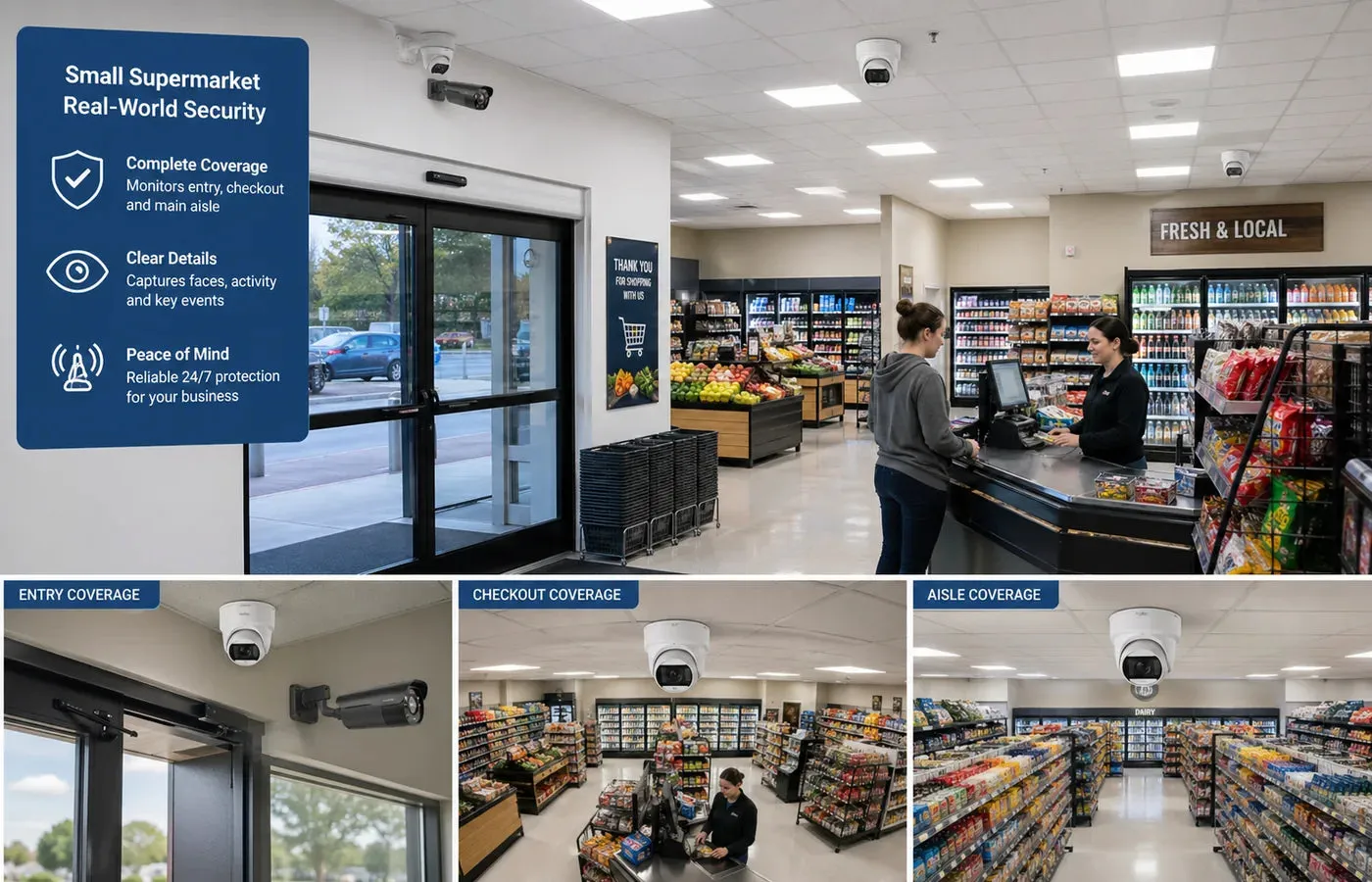
An office security camera system has to protect people, property, information, and daily operations without turning the workplace into a place where everyone feels watched. Unlike a retail store or warehouse, an office often contains public reception areas, employee workspaces, meeting rooms, IT rooms, storage rooms, confidential documents, visitor traffic, and parking. The system needs to cover the security risks without drifting into excessive monitoring.
For many offices, the goal is not to watch employees continuously. A well-designed office security camera plan focuses on entrances, visitor flow, server rooms, storage, cash or document handling areas, corridors, emergency exits, and parking. It helps answer practical questions after an incident: who entered, where did they go, what area did they access, and when did it happen? This is different from placing cameras randomly over desks.
Modern office systems may use IP camera networks, a PoE security camera system, an NVR security system, smart motion alerts, remote viewing, access control integration, and AI surveillance features. A wired security camera design is usually more dependable than Wi-Fi for business use, especially when cameras record continuously. Office CCTV also needs to fit the rest of the security plan: locks, access control, visitor management, cybersecurity, policies, and staff communication.
Plan this project
Use this article to define the requirement, then compare it with Review QuarkView business security solutions or contact QuarkView for project-level guidance.
Related planning guides
Office camera planning should balance entry coverage, employee privacy, mobile access, and alert usefulness without overcomplicating the system. Start with camera placement planning, then compare two-way audio security cameras and smart motion alerts before finalizing the layout. For a deeper operational layer, keep remote viewing setup in the planning path.
When the guide turns into a product shortlist, QuarkView buyers can compare PoE camera systems, NVR recorders, AI camera systems based on coverage area, cable path, recording needs, and installation environment.
How it works
Office CCTV design starts with traffic and risk. Visitors usually enter through reception. Employees enter through main doors, side doors, parking entrances, or access-controlled areas. Sensitive assets may be located in server rooms, storage rooms, executive offices, finance areas, file rooms, or equipment rooms. Camera placement should follow these movement paths and risk points.
Entrance cameras often carry the most evidence value. They should capture identifiable images of people entering and leaving. If the entrance includes glass doors or bright windows, use wide dynamic range, side angles, or supplemental lighting to avoid silhouettes. A second lobby camera can show interactions at reception and movement into corridors.
Corridor cameras help reconstruct movement. They do not need to watch every desk if they cover routes between entrances, meeting rooms, server rooms, and storage. Straight corridor views are usually better than cameras pointed into open office areas. In multi-floor offices, elevator lobbies and stairwell doors are important choke points.
Server rooms and IT closets deserve special attention because physical access can affect cybersecurity. A camera should show who entered and what area was accessed, ideally linked with access control logs. The camera should not expose sensitive screen content or credentials. For small offices, one properly placed camera may be enough for a server room, while larger sites may need entry and internal coverage.
Reception areas need balanced coverage. The camera should document visitor arrival, staff interaction, delivery handoff, and waiting area activity. Avoid recording private conversations in a way that violates local law or company policy. Audio recording should be disabled unless there is a specific legal basis and clear notice.
Parking and exterior areas may need outdoor security camera coverage for employee safety, vehicle incidents, visitor arrival, and after-hours activity. A PTZ camera can be helpful for a larger parking lot if someone actively monitors it, but fixed cameras should cover entrances, gates, and walkways. Outdoor lighting and weatherproof installation are essential.
For most small and medium businesses, a PoE security camera system connected to an NVR security system is a sensible baseline. PoE gives reliable wired power and data, and an NVR provides local recording and remote access. Office networks should separate camera traffic from general business systems where possible, especially when cameras, VoIP phones, Wi-Fi, and computers share infrastructure.
Features to compare
Access control integration is one of the most useful office features. When video can be reviewed alongside card or fob events, managers can verify whether a door was forced, propped open, accessed by the correct person, or entered by tailgating.
Role-based user permissions prevent casual misuse. A receptionist may need live lobby view. An office manager may need search access for specific cameras. An IT administrator may manage the recorder. Not everyone should have full export or configuration rights.
Smart motion alerts can reduce monitoring time. After-hours alerts at entrances, server rooms, storage rooms, or parking areas can be useful. During business hours, the same alerts may be disabled or limited to restricted zones.
Privacy-aware placement should be decided before installation. Cameras should focus on entrances, exits, common routes, and asset areas rather than constant close views of individual desks. Avoid restrooms, changing rooms, wellness rooms, lactation rooms, and other private spaces.
Cybersecurity connects directly to office surveillance. An IP camera is part of the network. Strong passwords, firmware updates, secure remote access, time synchronization, and network segmentation protect both video and business systems.
Evidence quality depends on frame rate, resolution, lens, lighting, and retention. For entrances and sensitive rooms, buyers should prioritize clear facial detail. For open areas, overview may be enough.
Match equipment to the site requirements
Start with a written office camera map. Mark main entrance, reception, side doors, emergency exits, server room, storage, file areas, finance areas, meeting room corridors, parking, and loading or delivery points. Assign each camera a purpose: identify, observe, deter, verify, or alert.
Choose an NVR security system with enough channel capacity, incoming bandwidth, storage expansion, remote access controls, and backup options. If the office may grow, leave spare channels. Verify whether AI analytics are supported on all channels or only some.
Use business-grade IP cameras where reliability matters. Features such as WDR, low-light performance, vandal-resistant housings, privacy masking, ONVIF support, and secure firmware update processes can matter more than very high resolution. A wired security camera is generally preferred over battery or Wi-Fi for core office coverage.
Plan PoE power carefully. Count camera wattage, switch budget, cable length, and any high-power devices such as PTZ camera models or heaters. Consider a UPS for the NVR, PoE switch, router, and access control equipment so the system continues during short power interruptions.
Review workplace privacy rules. In the United States, laws vary by state and use case. In other jurisdictions, data protection rules may require notice, lawful basis, retention limits, and proportionality. Regardless of location, transparent policies reduce conflict. Tell employees where cameras are, why they exist, who can access footage, and how long video is kept.
Decide who manages the system. Small businesses sometimes give full admin access to too many people. Limit administrator accounts, use unique logins, change default credentials, and document export procedures.
Common Applications
Reception monitoring is a common office use. Cameras can document visitor arrival, deliveries, disputes, and after-hours access. A clear view of the entrance is more valuable than a wide but distant lobby view.
Server room protection is another important application. A security camera can support access logs, document unauthorized entry, and help investigate missing equipment or maintenance activity.
Corridor and elevator lobby coverage helps reconstruct movement without watching every workstation. This is useful for offices with shared floors, co-working spaces, or controlled access zones.
Storage and equipment rooms often contain laptops, tools, documents, samples, or inventory. Camera coverage can help reduce loss and support accountability.
Parking and exterior cameras support employee safety, visitor management, vandalism investigation, and vehicle incident review. Outdoor security camera models should be selected for weather, lighting, and mounting conditions.
After-hours alerts help managers respond to unusual activity without watching live video. AI surveillance features such as person detection can reduce false alerts from lighting changes or small animals.
Common Problems
Over-monitoring is the fastest way to make an office camera system controversial. Cameras pointed directly at desks can create employee distrust and may raise legal issues. Focus on security-relevant areas rather than constant observation of work behavior.
Poor entrance images are another common failure. Glass doors, bright windows, and ceiling-mounted cameras often produce weak facial detail. Test the entrance view at morning, midday, evening, and night.
Weak network design can make good cameras behave badly. Cameras sharing a congested office network may drop frames or disconnect. Use proper switching, VLANs where practical, and adequate NVR bandwidth.
Unclear access rights create problems later. If many people share one admin password, it becomes impossible to know who viewed or exported footage. Use unique accounts and audit logs.
Insufficient retention can erase the one clip that matters. Office incidents may be discovered days or weeks later. Storage should match the reporting cycle and business risk.
Neglected maintenance slowly degrades the system. Firmware, hard drives, time settings, lenses, and camera angles need periodic review.
FAQ
Where should office security cameras be placed? Place cameras at entrances, reception, corridors, server rooms, storage areas, emergency exits, delivery points, and parking. Avoid private spaces and unnecessary desk-focused monitoring.
Is a PoE security camera system suitable for offices? Yes. PoE is reliable, scalable, and practical for offices because it carries power and data over Ethernet and supports centralized NVR recording.
Can employers monitor employees with CCTV? Rules vary by jurisdiction, but monitoring should be lawful, proportionate, transparent, and limited to legitimate business purposes. Employees should be informed about camera use.
How many cameras does a small office need? The number depends on layout. A small office may need only a few cameras for entrances, reception, corridor, server room, storage, and parking, while larger offices may need more.
Should office cameras record audio? Usually no, unless there is a specific legal and operational reason. Audio recording has higher privacy risk than video-only surveillance.
Can AI surveillance help an office? Yes, when used for after-hours person detection, restricted-area alerts, and faster video search. It should not be used as open-ended employee tracking.
Summary
An office security camera system should protect people, assets, and sensitive spaces while respecting workplace privacy. Focus on entrances, reception, corridors, server rooms, storage, delivery points, and parking before considering broader workstation views. A business-grade IP camera network, PoE security camera system, and properly secured NVR security system can provide reliable evidence when the policies and maintenance are as clear as the camera plan.
How QuarkView Can Help
Explore related QuarkView products or contact QuarkView for project support, volume inquiries, and system planning help.
Reference Sources
- GOV.UK, CCTV at commercial premises and staff monitoring guidance: https://www.gov.uk/can-i-use-cctv-at-my-commercial-premises and https://www.gov.uk/data-protection-your-business/monitoring-staff-at-work
- ICO, video surveillance data protection guidance: https://ico.org.uk/for-organisations/uk-gdpr-guidance-and-resources/cctv-and-video-surveillance/guidance-on-video-surveillance-including-cctv/how-can-we-comply-with-the-data-protection-principles-when-using-surveillance-systems/
- GOV.UK, CCTV supporting small businesses guidance: https://assets.publishing.service.gov.uk/government/uploads/system/uploads/attachment_data/file/142684/cctv-small-business-guidance.pdf
- FTC, securing connected security cameras: https://consumer.ftc.gov/articles/how-secure-your-home-security-cameras
- ONVIF, cybersecurity best practices for IP-based physical security systems: https://www.onvif.org/profiles/whitepapers/onvif-recommendations-for-cybersecurity-best-practices-for-ip-based-physical-security-products/
Related QuarkView resources
- Review QuarkView business security solutions
- View QuarkView security solutions
- Contact QuarkView for layout, OEM, or volume questions
Take the reception, circulation and restricted-room list to the small-business system shortlist. Include viewing permissions, cable routes and planned additions in the request.