
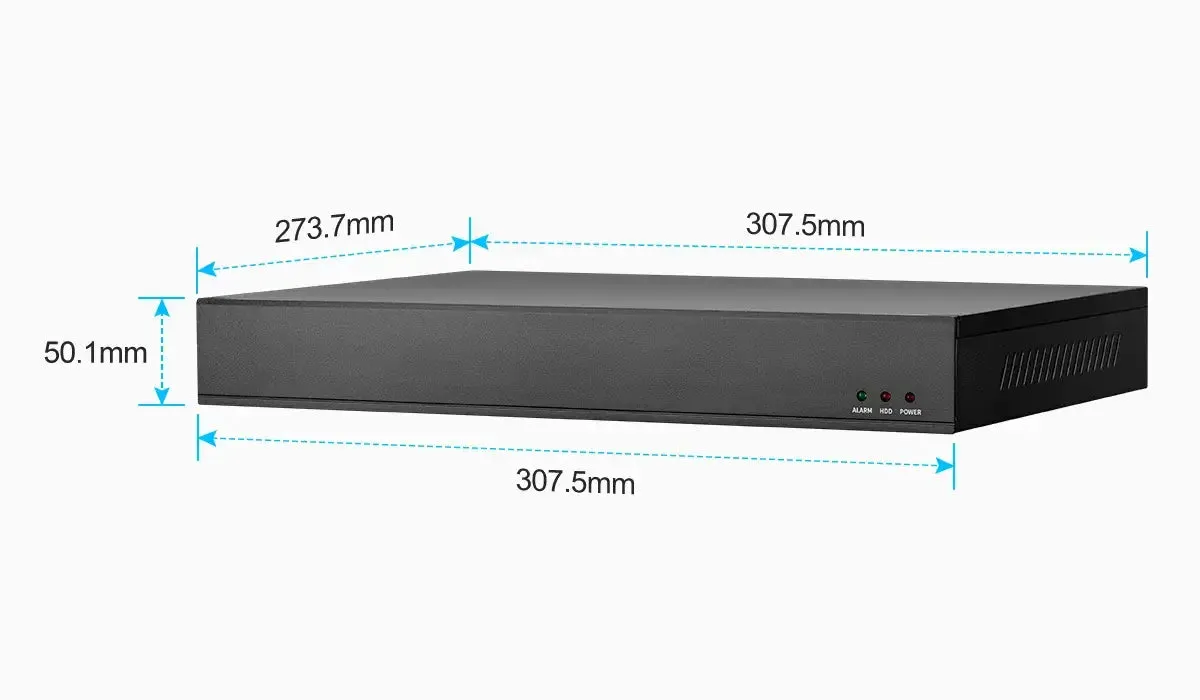
NVR vs DVR is one of the first comparisons buyers encounter when selecting a CCTV camera or surveillance system. Both device types record security video, but they are designed for different camera technologies. A DVR, or digital video recorder, is usually associated with analog or HD-over-coax CCTV camera systems. An NVR, or network video recorder, is designed for IP camera systems where video is transmitted over a data network.
The difference affects cabling, image quality, camera flexibility, installation workflow, remote viewing, cybersecurity, storage design, and long-term expandability. A home security camera buyer may only need a simple system for entrances and driveways. A business surveillance system buyer may need multiple cameras, remote management, AI surveillance features, user permissions, and scalable storage. Understanding NVR vs DVR helps buyers choose a system architecture that fits the site instead of focusing only on camera count or headline resolution.
Both recorder types still have a place. The right choice depends on the cabling already in the building, the camera features required, and how much the system may need to grow.
How it works
A DVR receives video from cameras over coaxial cable. In older systems, analog cameras sent standard-definition video to the recorder, where the DVR converted it into digital files. Modern HD-over-coax systems can support higher resolutions over coax using technologies often marketed as TVI, CVI, AHD, or similar formats. These systems still usually rely on a point-to-point cable from each camera to the DVR.
An NVR receives digital video from IP cameras. The IP camera itself captures, processes, encodes, and sends video over Ethernet. The NVR records those network streams. A PoE NVR can also provide power directly to PoE camera ports. Alternatively, cameras may connect through PoE switches, fiber links, wireless bridges, or existing network infrastructure before reaching the NVR.
In a DVR system, the recorder is central to video processing. In an NVR security system, more processing happens at the edge camera. This is why IP camera systems often support advanced functions such as onboard AI detection, camera-side analytics, multiple streams, higher resolutions, audio integration, and flexible network routing.
Cabling is one of the clearest practical differences. DVR systems commonly use coaxial cable plus separate power, although combined Siamese cable is also common. NVR systems commonly use Ethernet cable and may use PoE to carry both data and power. A wired security camera project with existing coax may be easier to upgrade with a DVR or hybrid recorder, while a new-build office may be better served by structured Ethernet cabling and an NVR.
Interoperability also differs. Analog camera systems often depend on matching signal formats supported by the DVR. IP camera systems may support ONVIF profiles, RTSP streams, or manufacturer-specific protocols. ONVIF can improve compatibility between cameras and NVRs, but buyers should still verify that required features are supported, especially motion events, audio, PTZ controls, AI rules, and firmware management.
Features to compare
Video encoding happens in different places. With DVR, the recorder digitizes and compresses the video. With NVR, the IP camera normally encodes video before it reaches the recorder. That difference affects image quality, network requirements, and system scalability.
Cable topology is different too. DVR systems usually use home-run cabling, meaning each camera cable returns to the recorder. NVR systems can use direct home runs to PoE NVR ports, but they can also use distributed PoE switches. In a larger building, cameras from one floor can connect to a local PoE switch and send aggregated traffic to the NVR through a backbone link.
Camera feature depth often favors IP systems. An IP camera can include onboard web configuration, digital wide dynamic range, smart motion detection, people or vehicle classification, line crossing alerts, privacy masking, multiple video streams, and sometimes edge storage. A DVR camera is typically more dependent on the recorder's feature set.
Expansion works differently. A DVR is limited by physical BNC inputs. An eight-channel DVR supports up to eight connected channels. An NVR is also licensed or channel-limited, but IP cameras can be physically located anywhere the network can reach. That flexibility matters when cameras are spread across a property.
The upgrade path depends on what is already in the walls. If a site has reliable coaxial cable, a DVR or hybrid recorder may reduce installation disruption. If the buyer wants high-resolution outdoor security camera coverage, PoE camera deployment, and AI surveillance, an NVR is usually the cleaner path.
Match recording settings and storage
Buyers should first identify existing infrastructure. Reusing coax can save labor in older buildings, apartment blocks, or retail spaces where cable is already installed. However, old cable quality, connector corrosion, grounding, and power wiring should be inspected before assuming reuse is practical.
For new installations, IP camera and NVR systems are often more flexible. Ethernet cabling supports PoE, network testing tools, structured cabling practices, and easier integration with routers, switches, and remote management. A PoE security camera system may also reduce the need for local power outlets near camera positions.
Evaluate resolution against the viewing goal. An 8MP CCTV camera may sound better than a 4MP model, but lens angle, lighting, compression, mounting height, and target distance determine whether useful detail is captured. NVR systems commonly offer more high-resolution options, but storage and bandwidth must be planned accordingly.
Remote access and cybersecurity deserve attention. Both DVRs and NVRs can be connected to the internet, but any recorder connected to a network should be configured carefully. Change default passwords, keep firmware updated, use strong user permissions, and avoid exposing management ports unnecessarily. Buyers should also consider whether mobile viewing is handled through a secure cloud relay, VPN, or local network only.
Storage is not only a hard drive question. DVR and NVR systems may use constant recording, motion recording, event recording, or schedules. H.265 video can reduce storage compared with H.264 in many scenes, but actual savings vary by camera, motion, lighting, and settings. Buyers should ask for retention estimates based on camera count, resolution, frame rate, bitrate, and recording mode.
Common Applications
DVR systems remain common in properties with existing coax infrastructure. They can be suitable for small shops, older homes, and basic CCTV upgrade projects where the buyer wants to replace cameras and recorder without rewiring the entire site. Hybrid DVR systems can sometimes mix analog and IP channels, which helps during phased migration.
NVR systems are common in new security surveillance projects. They are used in homes, offices, warehouses, restaurants, schools, and commercial sites where Ethernet cabling or PoE switches can be installed. A PoE NVR security system is especially practical for small to medium installations because it combines recorder, switch, camera power, and management into one device.
NVRs are also preferred where cameras need to be distributed across a network. For example, a warehouse may have cameras at loading docks, aisles, gates, and offices. Local PoE switches can reduce cable distance and centralize coverage by zone. A business surveillance system with multiple buildings may use fiber links between switches and one central NVR or management platform.
For more demanding applications, NVR systems are usually better suited to AI surveillance, PTZ camera controls, high-resolution video analytics, and integration with access control or alarm systems. Not every buyer needs those features, but IP architecture gives the system more room to grow.
Common Problems
A common DVR problem is assuming old coax will support every modern camera signal or resolution. Cable quality, length, connectors, and recorder compatibility matter. A poor coax run can create image noise, flicker, or signal loss.
A common NVR problem is underestimating network design. Cameras may power on, but insufficient switch uplink capacity, poor cable termination, IP address conflicts, or overloaded recorders can affect live view and recording. Network planning is part of NVR installation, not an optional extra.
Another problem is comparing NVR vs DVR only by price. A DVR kit may appear cheaper, but labor, cabling, power supply complexity, future expansion, and feature limitations should be considered. An NVR kit may cost more upfront but simplify future camera additions and support higher feature depth.
Buyers also sometimes expect plug-and-play compatibility across all IP camera brands. ONVIF helps, but not every setting is standardized. A camera may stream video to an NVR but lose access to smart events, advanced analytics, or firmware update functions.
Storage estimates are often too optimistic. A busy night scene with rain, insects, vehicle headlights, or tree movement can increase bitrate and reduce retention. Testing with real scene conditions is better than relying only on ideal estimates.
FAQ
Is an NVR better than a DVR?
An NVR is usually better for new IP camera systems, PoE camera deployments, high resolution, and AI or analytics features. A DVR may still be practical when good coax already exists and requirements are basic.
Can DVR cameras connect to an NVR?
Usually no, unless the NVR or system supports a hybrid input method. Analog cameras typically connect to DVRs, while IP cameras connect to NVRs over a network.
Can an NVR work without internet?
Yes. An NVR can record local IP cameras without internet. Internet is needed for remote viewing, notifications outside the site, cloud features, or firmware updates.
Which system is easier to install?
For new wiring, a PoE security camera system with an NVR is often simpler because one Ethernet cable can carry power and data. For existing coax, a DVR replacement may be easier.
Which system is better for AI surveillance?
NVR systems paired with compatible IP cameras are generally better for AI surveillance because analytics can run in the camera, NVR, or both.
How QuarkView Can Help
If you are choosing a recorder for a new installation, also review PoE security camera system basics, IP camera buying guide, wired and wireless camera tradeoffs, and resolution planning guide to connect recorder architecture with camera type, cabling, and resolution decisions.
For QuarkView product planning, start with NVR recorders, PoE camera systems, and single PoE cameras when you want IP-based recording instead of maintaining an older coax-only layout.
QuarkView note: QuarkView generally recommends NVR and PoE systems for new security camera projects that need clean cabling, IP camera flexibility, and easier expansion, while existing coax sites may still justify DVR or hybrid designs.
Summary
The NVR vs DVR decision is really a choice between IP network architecture and coax-based recorder architecture. DVR systems can still serve basic CCTV camera projects, especially where coax is already installed. NVR systems are generally more flexible for modern surveillance system design, PoE camera installation, high-resolution video, remote management, and AI surveillance. Buyers should compare infrastructure, recording goals, cybersecurity, storage, and future expansion before choosing.
Reference Sources
- ONVIF Profiles for IP camera and NVR interoperability.
- ONVIF Conformant Products for checking device profile claims.
- ITU-T H.264 and ITU-T H.265 for video compression background.
- NIST IR 8259A for connected device cybersecurity capability guidance.
- CISA IoT Security for networked device security practices.