
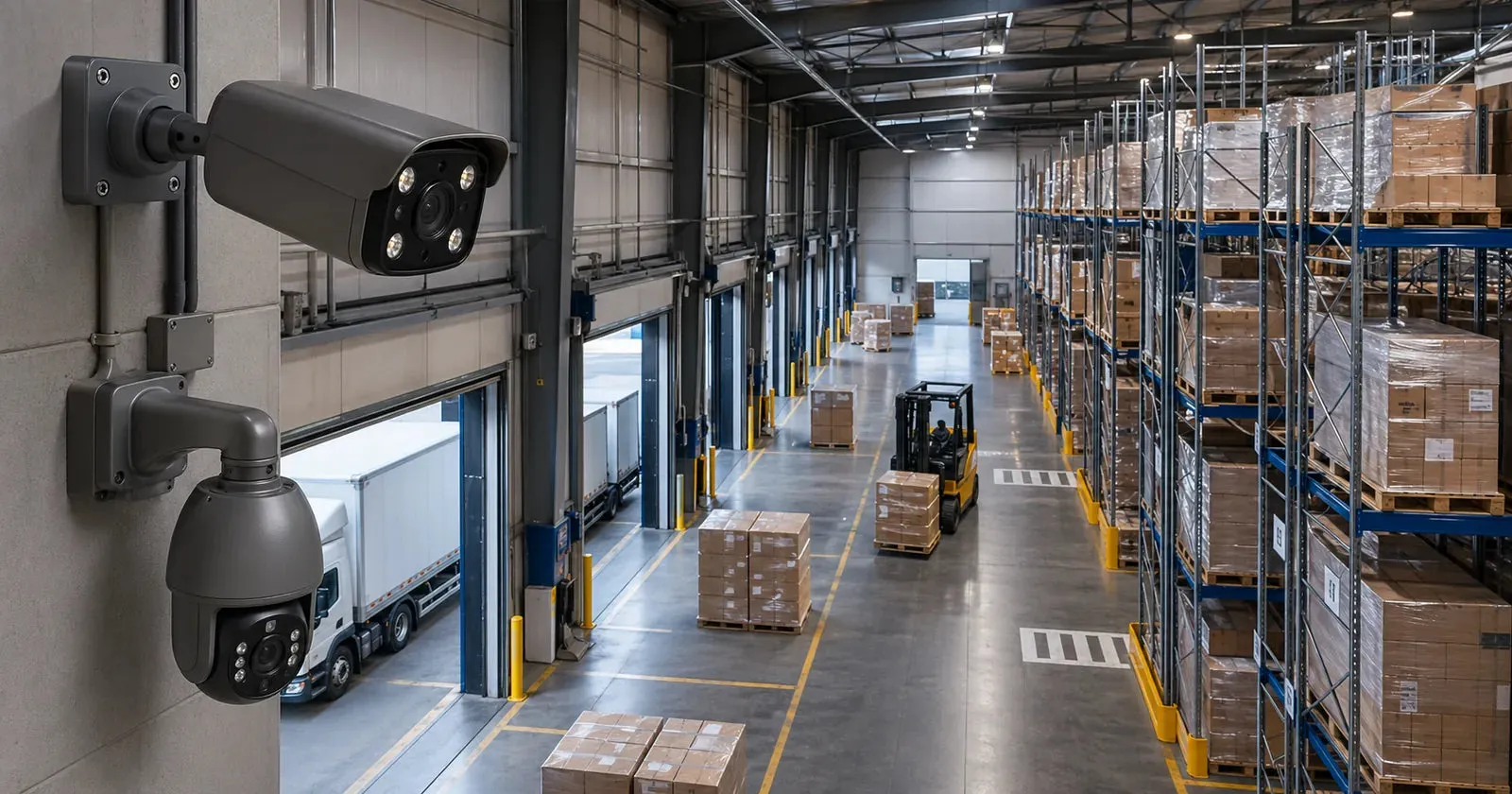
Warehouses need zone-based coverage
A warehouse is not one big room from a security point of view. It is a group of zones with different risks: dock doors, aisles, inventory shelves, packing stations, offices, yards, parking areas, gates, and blind corners. A useful camera plan treats each zone differently instead of trying to solve everything with a few wide overhead views.
Start by listing the events you need to review: deliveries, vehicle movement, inventory handling, after-hours access, pallet damage, customer pickup, or employee entry. Then map camera views to those events.
Dock doors and loading areas
Dock doors often need the most attention. Position cameras to see both the door activity and the vehicle or staging area when possible. A high wide view can show movement, but a second angle may be needed for faces, labels, or vehicle details.
If the site has multiple dock doors, name each camera by door number or zone. This makes review faster when staff report an issue at Door 3 or the east loading bay.
Aisles and inventory rows
Long aisles create a different challenge. A camera at one end may see movement but lose detail at distance. Consider dividing long rows into shorter coverage zones or using cameras at crossing points where people and forklifts naturally pass.
Avoid mounting cameras where tall racks block the view. Walk the aisle at operating height and check whether pallets, stacked goods, or seasonal inventory will obstruct the camera after the warehouse is full.
Yards, gates, and parking
Outdoor warehouse areas need stable mounting, suitable cable protection, and careful night testing. Gates, parking lanes, and yard entrances should be framed so vehicles are visible before they reach the building. If plate or face detail is important, distance and angle matter more than a generic wide view.
Lighting also matters. A dark yard with one bright floodlight can create glare and deep shadows. Test the final image at night and adjust camera angle, IR settings, or lighting if needed.
Why PoE fits multi-zone warehouses
PoE is usually the right foundation for warehouse coverage because it supports stable wired connections across many fixed camera positions. It also keeps power and data in one cable, which helps installers build a cleaner system around an NVR, PoE switch, or network cabinet.
For larger sites, plan cable runs in sections and label everything clearly. A naming system such as Dock 1, Dock 2, North Aisle, Packing, Yard Gate, and Office Hall makes the NVR easier to use and support.
Storage and review workflow
Warehouse systems often record many cameras for long hours. Estimate storage based on camera count, resolution, frame rate, and retention target. If managers need to review weekend activity on Monday, the system should keep enough footage to cover that window comfortably.
Also decide who reviews footage and how alerts should be used. Motion alerts on every aisle may be too noisy during working hours, while after-hours alerts for gates and dock doors may be very useful.
Coverage checklist
- Dock doors and loading bays are individually named.
- Main aisles and intersections have usable views.
- High-value inventory zones are not hidden behind racks.
- Yard, gate, and parking cameras are tested at night.
- NVR storage matches the expected retention period.
- Remote access is controlled with strong passwords and limited users.
If you are planning a multi-zone warehouse or light industrial site, send QuarkView a layout sketch, rough dimensions, and the key areas you want to protect. A small amount of planning before installation can prevent blind spots that are expensive to fix later.
QuarkView note: Use this guide as a planning reference before comparing QuarkView security camera systems, NVR recorders, PoE cameras, and installation accessories for your site.
Plan Your Security Camera System With QuarkView
QuarkView helps homeowners, small businesses, installers, and project buyers turn camera requirements into practical product shortlists and deployment plans.
Explore related QuarkView products or contact QuarkView for project support.
Practical Planning Notes
Use this article as a working checklist for a real QuarkView security project, not only as a definition of Warehouse Security Cameras: Planning Coverage for Multiple Zones. The right choice depends on the site layout, camera distance, lighting, network path, recorder capacity, and who will maintain the system after installation.
For homes, small businesses, installers, and project buyers, the strongest shortlist usually starts with the camera count, mounting positions, recording target, alert requirements, and future expansion plan. Those details make it easier to compare PoE camera systems, NVR recorders, wireless cameras, AI analytics, and installation accessories without overbuying or missing a critical coverage point.
What To Check Before You Buy
- Confirm the camera locations, viewing distance, and lighting conditions before comparing model numbers.
- Match the recorder, storage plan, network path, and power method to the number of cameras that will actually be installed.
- Review day and night sample footage when the project depends on face detail, vehicle detail, or reliable alerts.
- Map the site by zones such as entrances, cash desks, stock areas, gates, parking spaces, and blind corners.
FAQ
How should I use this Warehouse Security Cameras: Planning Coverage for Multiple Zones guide before choosing equipment?
Use it to turn the topic into site requirements: camera count, viewing distance, light level, recording method, network path, and the level of detail needed for people, vehicles, or activity review.
Is the most expensive option always the safest choice?
No. A camera or recorder should fit the job. A balanced QuarkView system usually performs better than a high-spec device placed in the wrong location or paired with weak storage, power, or network planning.
What should I confirm before ordering a full system?
Confirm compatibility, mounting conditions, storage target, night performance, remote viewing needs, warranty support, and whether future expansion is likely. For business projects, also confirm who will manage user access and maintenance.
Summary
Warehouse Security Cameras: Planning Coverage for Multiple Zones should be evaluated as part of the full surveillance design. The best result comes from matching camera type, placement, recording, storage, alerts, and installation conditions to the real site.
QuarkView buyers can use this guide to narrow the product shortlist, compare related camera system options, and prepare clearer questions before ordering equipment or planning a larger project.
Related QuarkView Planning Resources
For the next planning step, compare How to Choose Security Cameras for a Small Shop, Office, or Restaurant, Office Security Camera Guide for Small and Medium Businesses, PoE Security Camera Installation Guide for Homes and Small Businesses, Security Camera FAQ: Answers for Home and Business Buyers, Warehouse Security Camera Guide. These related guides connect product selection, placement, recording, installation, and long-term reliability decisions.