
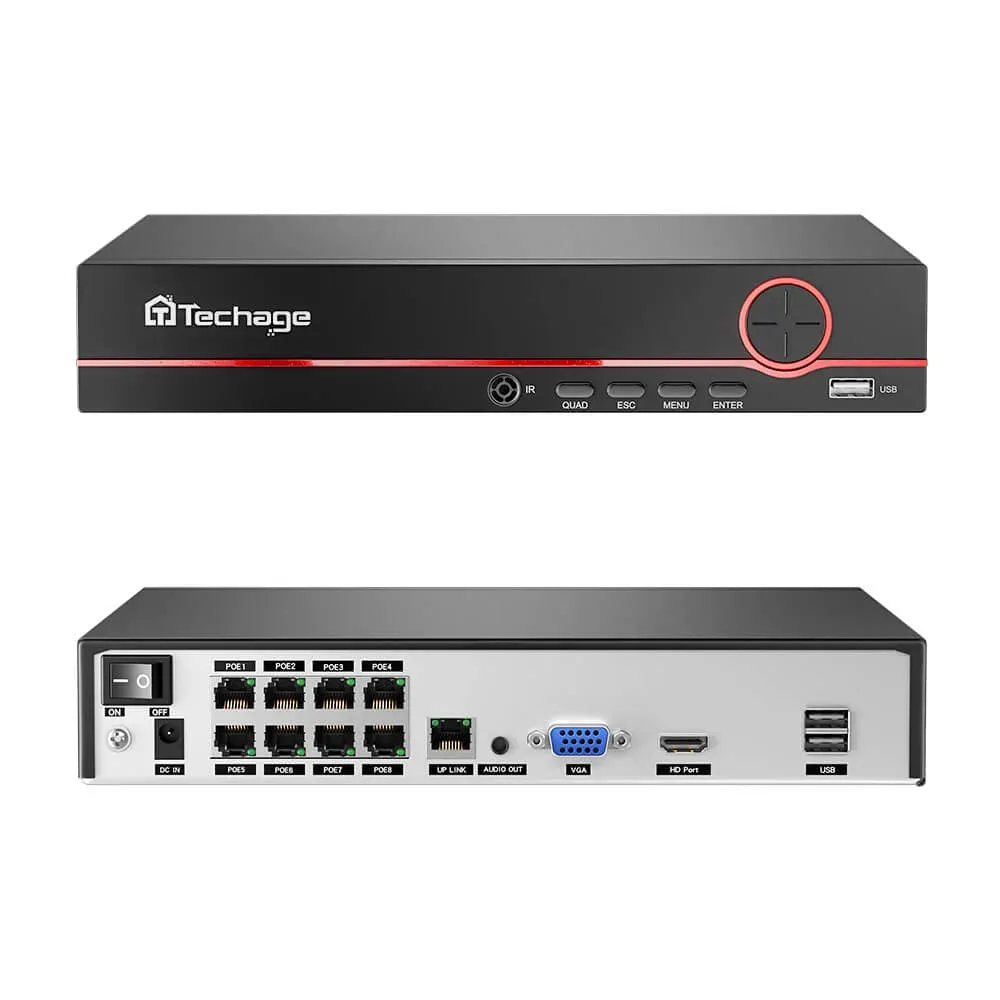
A UPS can keep a security camera system recording through a short power outage, but only if it powers the complete recording path. Start with the NVR, its storage and every camera power source. Then identify any network device needed to carry video. Buying by the camera count or the largest VA number alone can leave a working recorder with no camera feed.
Define what must survive an outage
Separate local recording from remote access. A PoE camera connected directly to a compatible NVR may need only the recorder and its power adapter on backup. Cameras powered by a separate PoE switch need that switch backed up too. A router is required when the actual video path depends on it; an internet router is not automatically necessary for an isolated local recording network.
If remote viewing is part of the requirement, include the necessary router, modem or optical terminal and test the service during an outage. Local backup does not guarantee the internet provider stays online. Leave a monitor outside the essential budget unless someone must view it during the outage; if it is essential, add its measured consumption.
Build the load budget without counting cameras twice
Measure AC input with suitable equipment while the system records under its intended settings. Include installed drives, all channels and a representative night condition with infrared lights or illuminators active. Check documented maximum demand and startup behavior as well. The table below is a planning worksheet, not a rating for any QuarkView product. Replace every assumed value with evidence from your actual equipment.
| Equipment | Assumed load | Counting rule |
|---|---|---|
| NVR with installed storage | 25 W | Recorder only; cameras powered by the separate switch |
| PoE switch with all attached cameras | 70 W | Complete AC input, including camera power and losses |
| Router needed for the video path | 10 W | Include only if required by the actual topology |
| Total essential load | 105 W | 25 + 70 + 10; no separate camera addition |
For this assumed example, the NVR uses 25 W, the complete populated switch uses 70 W, and the required router uses 10 W: 25 + 70 + 10 = 105 W. Adding 25% planning headroom gives 105 × 1.25 = 131.25 W. That percentage is an illustrative design choice, not a universal manufacturer requirement or a runtime prediction. Check the chosen UPS capacity against the actual peak load and its instructions.
Do not add the camera watts again when the 70 W switch input already includes them. If you only know the switch chassis consumption and camera power requirements, first estimate the complete switch input, allowing for conversion and cable losses, then verify it by measurement. Apply the same rule to an NVR with built-in PoE: its total AC input may already include every connected camera.
Check both W and VA
Watts (W) describe real power; volt-amperes (VA) describe apparent power. A UPS has limits for both. For a load with known power factor, VA = W ÷ power factor, but do not assume a power factor for an unknown adapter. Obtain or measure the required values and ensure neither UPS limit is exceeded. A 1000 VA label does not mean 1000 W is available, and neither number states how many minutes the battery will last.
Check supply voltage, plug and outlet types, output waveform compatibility and the battery-backed outlet group. Some UPS outlets provide surge protection only. Confirm the manufacturer permits the intended equipment and any power distribution arrangement. A USB management port does not establish that your NVR supports automatic shutdown; verify the exact recorder integration before relying on it.
Choose backup time from the exact model curve
Write a target first: bridge brief interruptions, record for a defined interval, or allow a controlled shutdown. Look up the exact UPS model and battery configuration at the expected load using its official runtime graph or calculator. If the chart only provides nearby loads, seek manufacturer guidance and validate the installed system rather than promising a precise interpolated result. Battery age, charge state and operating conditions affect the outcome.
CCTV Camera World lists one 1000 VA / 600 W unit with estimated backup of about 40 minutes at 100 W and 17 minutes at 200 W at maximum battery health. These are published estimates for that product, not a promise for this example or another UPS. They illustrate why capacity and runtime must be checked separately. Battery Wh alone also cannot establish delivered backup time without the relevant discharge, conversion and cutoff behavior.
CCTV Camera World UPS specifications and load-dependent runtime
Eaton UPS sizing guide: capacity and runtime
APC UPS buying guide: W, VA and backup planning
Prove recording across the power cut
Arrange a controlled test with the site owner, charge the battery as instructed and record the settings and load. Use the UPS manufacturer’s approved outage-test procedure while preserving the required protective earth connection. Check that the NVR, switch and every essential camera remain powered. Confirm the UPS reports battery operation without overload. Repeat under the intended night load when practical.
After restoring power, replay every channel across the interruption and recovery timestamps. Check video continuity, correct time, storage health and resumed recording schedules; export a short sample and open it in the intended player. Test remote viewing separately if required. Record any gaps, actual test duration and unresolved exceptions. Do not deliberately exhaust the battery unless a supported shutdown and recovery procedure has been agreed.
Keep the plan useful after installation
Label the protected outlets, document the equipment list and assign battery inspection and replacement according to the UPS manual. Recheck the budget and recording test after adding cameras, drives or network equipment. Keep ventilation and installation conditions within the manufacturer’s limits. A UPS is one part of the power plan; external equipment, cabling and electrical protection still require their own suitable installation.
PoE camera installation and power-budget checks
Reliable wired surveillance network planning